
Cosmic
February 2, 2026
AI coding assistants have become essential tools for modern developers. But as these tools mature, two distinct approaches have emerged for extending their capabilities: Model Context Protocol (MCP) and Skills. Understanding the difference is crucial for choosing the right integration strategy for your development workflow.
This guide breaks down both approaches, compares their strengths and weaknesses, and helps you decide which is right for your projects.
What Is Model Context Protocol (MCP)?
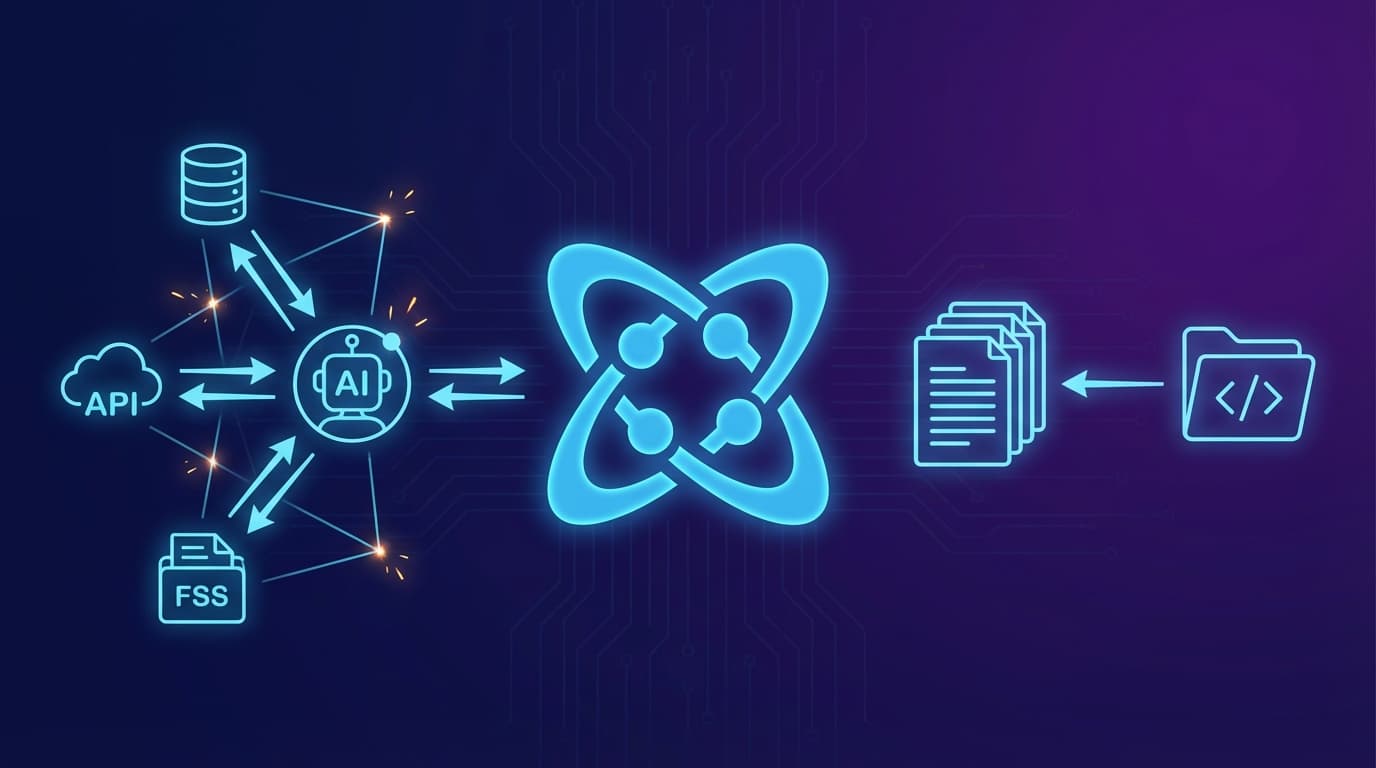
Model Context Protocol (MCP) is an open standard developed by Anthropic that enables AI assistants to connect with external data sources and tools through a standardized interface. Think of MCP as a universal adapter that lets AI models interact with databases, APIs, file systems, and other services.
How MCP Works
MCP operates on a client-server architecture:
- MCP Servers expose specific capabilities (called "tools") and data sources (called "resources")
- MCP Clients (AI assistants like Claude) connect to these servers
- The protocol handles communication, authentication, and data exchange
┌─────────────┐     MCP Protocol     ┌─────────────┐
│  AI Client  │ ◄──────────────────► │  MCP Server │
│  (Claude)   │                      │  (Your API) │
└─────────────┘                      └─────────────┘
MCP Key Features
- Real-time data access: AI can query live databases, APIs, and services
- Tool execution: AI can trigger actions like creating files, sending emails, or updating records
- Standardized protocol: One integration works across all MCP-compatible clients
- Bidirectional communication: Servers can push updates to clients
MCP Use Cases
MCP excels when you need:
- Live database queries during conversations
- Integration with internal business systems
- Complex tool chains with multiple services
- Real-time data that changes frequently
What Are Skills?
Skills take a fundamentally different approach. Instead of creating runtime connections to external services, Skills provide AI assistants with static context files that contain documentation, patterns, and examples specific to a technology or platform.
How Skills Work
Skills are installed directly into your project:
- Install the skill:
npx skills add cosmicjs/skills - Context files are added to your project (typically in a
.skillsor similar directory) - AI reads these files when you start a conversation
- No runtime connection required, the AI has the knowledge baked in
┌─────────────┐     Reads Files     ┌─────────────┐
│  AI Client  │ ◄────────────────── │ .skills/    │
│  (Cursor)   │                     │ cosmic.md   │
└─────────────┘                     └─────────────┘
Skills Key Features
- Zero latency: Context is already loaded, no network calls needed
- Works offline: No server dependencies
- Version controlled: Skills files live in your repo
- Simple setup: One command installation
- Consistent behavior: Same context every time
Skills Use Cases
Skills excel when you need:
- SDK and API documentation always available
- Consistent coding patterns across your team
- Framework-specific guidance (Next.js, React, etc.)
- Best practices enforcement
MCP vs Skills: Head-to-Head Comparison
| Feature | MCP | Skills |
|---|---|---|
| Data Freshness | Real-time | Static (update manually) |
| Setup Complexity | Higher (server required) | Lower (single command) |
| Offline Support | No | Yes |
| Latency | Network dependent | Zero |
| Tool Execution | Yes | No |
| Maintenance | Server upkeep required | Minimal |
| Security | Requires careful auth setup | No external access |
| Best For | Dynamic data, actions | Documentation, patterns |
When to Use MCP
Choose MCP when:
You need live data access
- Querying production databases
- Checking real-time metrics
- Accessing current user information
You need the AI to take actions
- Creating records in your CMS
- Sending notifications
- Deploying code
Your data changes frequently
- Inventory systems
- Pricing information
- User-generated content
Example MCP scenario: A support agent AI that needs to look up customer orders, check shipping status, and create support tickets, all in real-time.
When to Use Skills
Choose Skills when:
You need consistent coding patterns
- SDK usage documentation
- API reference guides
- Framework best practices
You want zero-setup for your team
- New developers get context immediately
- No server infrastructure to maintain
- Works in any environment
Offline access matters
- Working on flights
- Unreliable network conditions
- Air-gapped environments
Example Skills scenario: A developer using the Cosmic SDK needs their AI assistant to understand proper API patterns, metafield types, and query syntax without setting up any servers.
Cosmic MCP Server
Cosmic now offers an official MCP server that exposes Cosmic CMS functionality as tools for AI assistants. This allows you to manage content, media, object types, and generate AI content directly through Claude, Cursor, or any MCP-compatible client.
For complete documentation and setup instructions, visit the Cosmic MCP Server documentation.
Installation
Using npx (recommended):
npx @cosmicjs/mcp
Or install globally:
npm install -g @cosmicjs/mcp
cosmic-mcp
Configuration
The server requires the following environment variables:
| Variable | Required | Description |
|---|---|---|
| COSMIC_BUCKET_SLUG | Yes | Your Cosmic bucket slug |
| COSMIC_READ_KEY | Yes | Bucket read key for read operations |
| COSMIC_WRITE_KEY | No | Bucket write key for write operations |
Getting Your Credentials
- Log in to your Cosmic dashboard
- Navigate to your bucket
- Go to Settings → API Access
- Copy your bucket slug, read key, and write key
Usage with Claude Desktop
Add the following to your Claude Desktop configuration file:
macOS: ~/Library/Application Support/Claude/claude_desktop_config.json
Windows: %APPDATA%\Claude\claude_desktop_config.json
{
  "mcpServers": {
    "cosmic": {
      "command": "npx",
      "args": ["@cosmicjs/mcp"],
      "env": {
        "COSMIC_BUCKET_SLUG": "your-bucket-slug",
        "COSMIC_READ_KEY": "your-read-key",
        "COSMIC_WRITE_KEY": "your-write-key"
      }
    }
  }
}
Usage with Cursor
Add the following to your Cursor MCP settings (.cursor/mcp.json):
{
  "mcpServers": {
    "cosmic": {
      "command": "npx",
      "args": ["@cosmicjs/mcp"],
      "env": {
        "COSMIC_BUCKET_SLUG": "your-bucket-slug",
        "COSMIC_READ_KEY": "your-read-key",
        "COSMIC_WRITE_KEY": "your-write-key"
      }
    }
  }
}
If you would rather be walked through this than copy a config block, Lesson 2 of Learn Cosmic walks you through connecting Cosmic to Cursor or Claude Code with MCP, from credentials to your first successful tool call.
Available MCP Tools
Objects
| Tool | Description |
|---|---|
| cosmic_objects_list | List objects with optional type filter, status, and pagination |
| cosmic_objects_get | Get a single object by ID or slug |
| cosmic_objects_create | Create a new object (requires write key) |
| cosmic_objects_update | Update an existing object (requires write key) |
| cosmic_objects_delete | Delete an object (requires write key) |
Media
| Tool | Description |
|---|---|
| cosmic_media_list | List media files with optional folder filter |
| cosmic_media_get | Get media details by ID |
| cosmic_media_upload | Upload media from URL or base64 (requires write key) |
| cosmic_media_delete | Delete a media file (requires write key) |
Object Types
| Tool | Description |
|---|---|
| cosmic_types_list | List all object types in the bucket |
| cosmic_types_get | Get object type schema by slug |
| cosmic_types_create | Create a new object type (requires write key) |
| cosmic_types_update | Update object type schema (requires write key) |
| cosmic_types_delete | Delete an object type (requires write key) |
AI Generation
| Tool | Description |
|---|---|
| cosmic_ai_generate_text | Generate text content using AI |
| cosmic_ai_generate_image | Generate and upload an AI image (requires write key) |
| cosmic_ai_generate_video | Generate and upload an AI video (requires write key) |
Example MCP Prompts
Here are some example prompts you can use with Claude or Cursor:
Content Management
- List all blog posts in my Cosmic bucket
- Create a new blog post titled "Getting Started with MCP" with the content "This is an introduction to the Model Context Protocol..."
- Update the blog post with ID "abc123" to change its status to published
Media
- Show me all images in the "blog-images" folder
- Upload this image URL to my media library: https://example.com/image.jpg
Schema Management
- Show me all object types in my bucket
- Create a new object type called "Products" with fields for name, price, description, and image
AI Generation
- Generate a product description for a wireless bluetooth headphone
- Generate an image of a futuristic city skyline at sunset and upload it to my media library
For more information, visit the Cosmic MCP Server documentation.
Cosmic Skills: A Practical Example
Cosmic Skills demonstrates the Skills approach perfectly. With one command, your AI coding assistant gains deep knowledge of the Cosmic headless CMS:
npx skills add cosmicjs/skills
After installation, your AI assistant understands:
- Objects API: Create, read, update, delete content with proper SDK patterns
- Content Modeling: All metafield types and their configurations
- Media Management: File uploads and imgix transformations
- Query Patterns: MongoDB-style filtering and search
- AI Generation: Built-in text, image, and video generation
- Framework Integration: Next.js, React, Astro patterns
Key Patterns Included
Cosmic Skills teaches AI assistants critical details:
- Object type references use the slug (
type: 'blog-posts'), not display name - Media files are referenced by name, not URL
- Related Objects use id, not slug
- The
writeKeystays server-side only - Always use
props()for performance - Use
imgix_urlwith query parameters for image optimization
This context prevents common mistakes and ensures generated code follows best practices.
For complete documentation, visit the Cosmic Agent Skills documentation.
The Hybrid Approach
The most powerful setup often combines both approaches:
Skills for foundational knowledge
- SDK documentation
- Coding patterns
- Best practices
MCP for dynamic operations
- Content creation
- Media uploads
- Real-time queries
Example Hybrid Workflow
- Skills provide the AI with Cosmic SDK knowledge
- MCP server connects to your Cosmic bucket
- AI uses Skills knowledge to write correct code
- AI uses MCP connection to execute operations
┌─────────────┐
│  AI Client  │
└──────┬──────┘
       │
   ┌───┴───┐
   ▼       ▼
┌─────┐ ┌─────┐
│Skills│ │ MCP │
│(docs)│ │(ops)│
└─────┘ └─────┘
Performance Considerations
Skills Performance
- Context loading: Happens once at conversation start
- Token usage: Skills files count against context window
- Response speed: No additional latency
Optimization tip: Keep Skills files focused. Include only what is needed for your use case.
MCP Performance
- Network latency: Each tool call requires a round trip
- Timeout handling: Long-running operations need careful management
- Connection overhead: Initial handshake adds startup time
Optimization tip: Batch operations when possible. Design tools to return rich responses that minimize back-and-forth.
Security Comparison
Skills Security Model
- No external access: Skills are static files, no network calls
- Version controlled: Changes are tracked in git
- Audit friendly: Easy to review what context AI has
- No secrets exposed: Documentation only, no credentials
MCP Security Considerations
- Authentication required: Servers need proper auth mechanisms
- Scope carefully: Limit what tools can access
- Audit logging: Track all AI-initiated actions
- Network security: Encrypt all communications
Choosing Your Approach
Decision Framework
Ask these questions:
-
Does the AI need to take actions?
- Yes → MCP required
- No → Skills sufficient
-
Is real-time data essential?
- Yes → MCP required
- No → Skills sufficient
-
Is simplicity a priority?
- Yes → Start with Skills
- No → Consider MCP
-
Does your team need offline access?
- Yes → Skills required
- No → Either works
Recommended Starting Points
For most developers: Start with Skills. The simplicity and zero-maintenance nature makes it the right choice for SDK documentation and coding patterns.
For platform builders: Add MCP when you need AI to interact with your systems at runtime.
For enterprise teams: Use both. Skills for consistency, MCP for operations.
Getting Started
Install Cosmic Skills
Ready to give your AI assistant Cosmic knowledge? Installation takes seconds:
npx skills add cosmicjs/skills
This works with:
- Cursor
- Claude Code
- GitHub Copilot
- Windsurf
- Gemini
- And 16+ other AI coding agents
For complete documentation, visit the Cosmic Agent Skills documentation.
Set Up Cosmic MCP
To enable your AI assistant to take actions in your Cosmic bucket:
npx @cosmicjs/mcp
For installation instructions and configuration details, see the Cosmic MCP Server documentation. For a free guided version you can follow in about 10 minutes, take Lesson 2 of Learn Cosmic: connecting Cosmic to Cursor or Claude Code with MCP.
Conclusion
MCP and Skills serve different purposes in the AI coding assistant ecosystem:
- MCP is your choice for dynamic, action-oriented integrations
- Skills is your choice for static, knowledge-based context
Neither is universally "better" since they are complementary tools. The best developers understand when to use each approach and often combine them for maximum effectiveness.
For most content management workflows with Cosmic, Skills provides everything you need: comprehensive SDK knowledge, proper patterns, and zero maintenance overhead. When you are ready to let AI create content directly in your bucket, MCP enters the picture.
Start simple with Skills, add MCP when needed, and let your AI assistant become a true expert in your technology stack.
Ready to supercharge your AI coding assistant with Cosmic knowledge? Install Cosmic Agent Skills today or set up the Cosmic MCP Server and start building smarter.
Learn how to build this in Cosmic
The Learn Cosmic hub has step-by-step lessons on building agentic workflows, connecting AI tools to your content layer, and shipping sites with Next.js, Astro, and more.