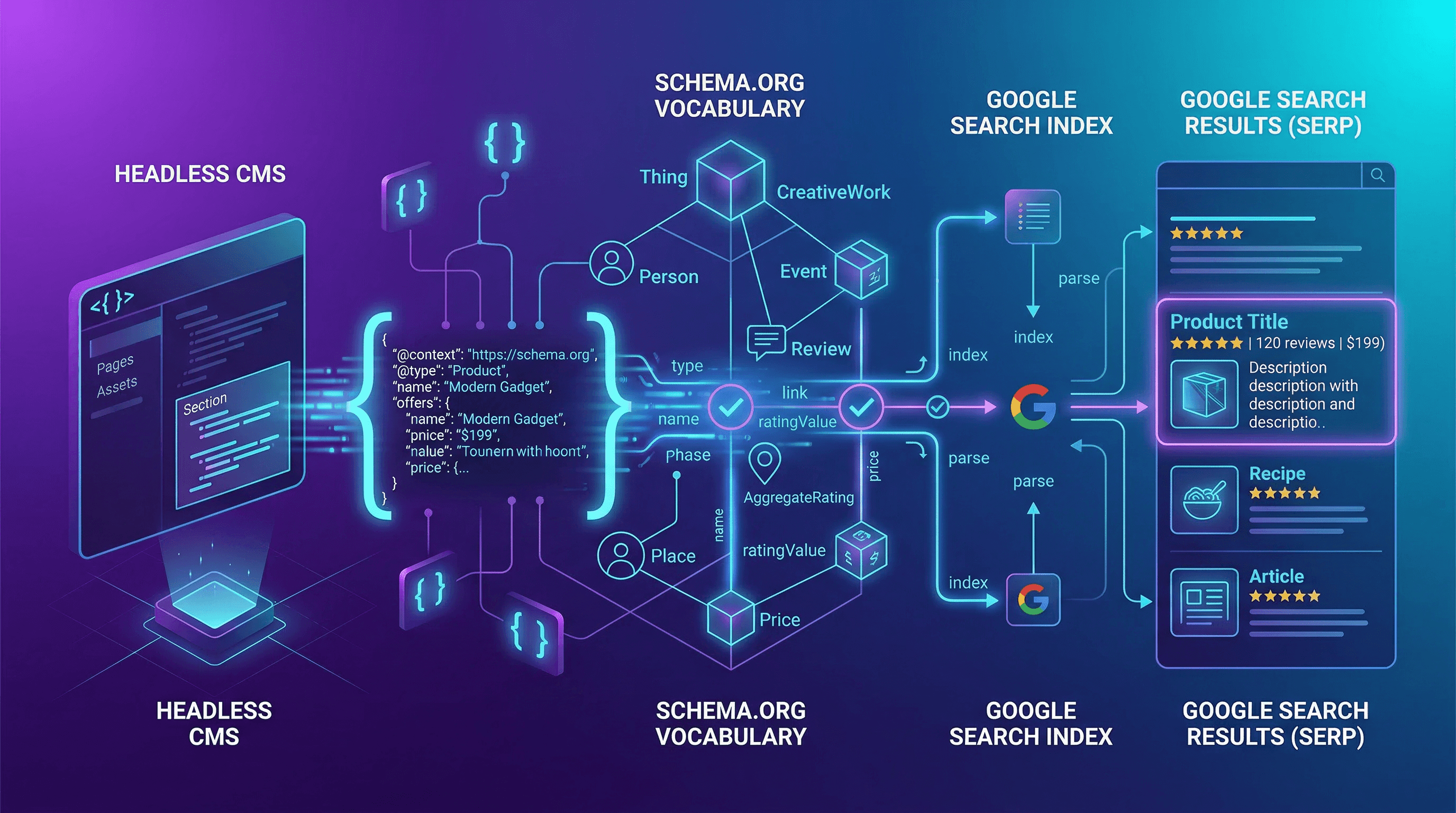
Structured Data and Schema Markup for Headless CMS: A Technical SEO Implementation Guide

Cosmic AI
March 16, 2026
Structured data has become essential for modern SEO. In 2026, with Google's AI Overviews and Bing's Copilot increasingly relying on well-structured content, implementing JSON-LD schema markup isn't optional—it's critical for visibility.
If you're building sites with a headless CMS like Cosmic and Next.js, you have a significant advantage: full programmatic control over your structured data implementation. No plugins, no conflicts, no bloat.
This guide shows you exactly how to implement structured data for your headless CMS projects.
What is Structured Data?
Structured data is a standardized format that helps search engines understand your content. JSON-LD (JavaScript Object Notation for Linked Data) is Google's recommended format, and it uses vocabulary defined by Schema.org—a collaborative effort by Google, Microsoft, Yahoo, and Yandex.
When implemented correctly, structured data enables rich results in search: star ratings, FAQ accordions, breadcrumbs, article dates, and more.
Why Headless CMS Makes This Easier
With traditional CMS platforms like WordPress, you rely on plugins to inject schema markup. These plugins often conflict with each other, add unnecessary bloat, and give you limited control.
With Cosmic, your content is already structured JSON. Fields like title, published_date, author, and image can be directly mapped to schema properties. This means:
- No plugin dependencies
- Complete control over output
- Cleaner, faster implementations
- Easier debugging and maintenance
Key Schema Types for Content Sites
Four schema types deliver the most value for headless CMS projects:
1. BlogPosting / Article
For blog posts and articles. Maps to headline, author, datePublished, dateModified, image, and publisher.
2. FAQPage
Generates expandable FAQ rich results directly in Google. Perfect for landing pages with FAQ sections.
3. BreadcrumbList
Improves click-through rates by showing navigation hierarchy in SERPs.
4. Organization
Establishes your brand identity for the homepage and about pages.
Mapping Cosmic Fields to Schema Properties
Cosmic's blog-posts object type maps cleanly to BlogPosting schema:
| Cosmic Field | Schema Property |
|---|---|
title | headline |
published_date | datePublished |
image | image |
teaser | description |
author.title | author.name |
| Bucket name | publisher.name |
Next.js Implementation
In Next.js 15/16 with the App Router, inject JSON-LD using a script tag in your page component. Here's a reusable component:
// components/BlogPostSchema.tsx
import { cosmic } from '@/lib/cosmic'

interface BlogPost {
  title: string
  slug: string
  metadata: {
    image?: { imgix_url: string }
    published_date: string
    teaser: string
    author?: { title: string }
  }
}

export function BlogPostSchema({ post }: { post: BlogPost }) {
  const schema = {
    '@context': 'https://schema.org',
    '@type': 'BlogPosting',
    headline: post.title,
    image: post.metadata.image?.imgix_url,
    datePublished: post.metadata.published_date,
    description: post.metadata.teaser,
    author: {
      '@type': 'Person',
      name: post.metadata.author?.title || 'Unknown'
    },
    publisher: {
      '@type': 'Organization',
      name: 'Your Site Name',
      logo: {
        '@type': 'ImageObject',
        url: 'https://yoursite.com/logo.png'
      }
    }
  }

  return (
    <script
      type="application/ld+json"
      dangerouslySetInnerHTML={{ __html: JSON.stringify(schema) }}
    />
  )
}
Then use it in your blog post page:
// app/blog/[slug]/page.tsx
import { BlogPostSchema } from '@/components/BlogPostSchema'

export default async function BlogPost({ params }: { params: { slug: string } }) {
  const { object: post } = await cosmic.objects
    .findOne({ slug: params.slug, type: 'blog-posts' })
    .props('title,slug,metadata')
    .depth(1)

  return (
    <>
      <BlogPostSchema post={post} />
      <article>
        {/* Your blog post content */}
      </article>
    </>
  )
}
FAQPage Schema from Cosmic Data
If your landing pages have FAQ metafields (like Cosmic's landing-pages type), transform them to FAQPage schema:
// components/FAQSchema.tsx
interface FAQ {
  question: string
  answer: string
}

export function FAQSchema({ faqs }: { faqs: FAQ[] }) {
  const schema = {
    '@context': 'https://schema.org',
    '@type': 'FAQPage',
    mainEntity: faqs.map(faq => ({
      '@type': 'Question',
      name: faq.question,
      acceptedAnswer: {
        '@type': 'Answer',
        text: faq.answer
      }
    }))
  }

  return (
    <script
      type="application/ld+json"
      dangerouslySetInnerHTML={{ __html: JSON.stringify(schema) }}
    />
  )
}
BreadcrumbList for Category Pages
Breadcrumbs improve navigation signals and click-through rates:
// components/BreadcrumbSchema.tsx
interface Breadcrumb {
  name: string
  url: string
}

export function BreadcrumbSchema({ items }: { items: Breadcrumb[] }) {
  const schema = {
    '@context': 'https://schema.org',
    '@type': 'BreadcrumbList',
    itemListElement: items.map((item, index) => ({
      '@type': 'ListItem',
      position: index + 1,
      name: item.name,
      item: item.url
    }))
  }

  return (
    <script
      type="application/ld+json"
      dangerouslySetInnerHTML={{ __html: JSON.stringify(schema) }}
    />
  )
}
Testing and Validation
Before deploying, validate your structured data:
- Google Rich Results Test — Tests if your page qualifies for rich results
- Schema.org Validator — Validates markup against Schema.org specifications
- Google Search Console — The "Enhancements" section shows rich result errors after indexing
JSON-LD Best Practices
Follow these rules for reliable implementation:
- Place JSON-LD in the
<head>section (Google processes both head and body, but head is preferred) - Never mix JSON-LD with Microdata or RDFa for the same entity
- Always include
@context: "https://schema.org" - Use exact property names from Schema.org (they're case-sensitive)
- Validate before deploying
Why This Matters in 2026
Structured data isn't just about traditional rich results anymore. Google's AI Overviews and Bing's Copilot use structured data to understand and cite content. As AI-powered search becomes dominant, well-structured content gets prioritized.
The Model Context Protocol and tools like Chrome DevTools MCP show how AI systems increasingly depend on structured, machine-readable content.
Next Steps
Start with BlogPosting schema for your blog posts—it delivers immediate value with minimal effort. Then expand to FAQPage for landing pages and BreadcrumbList for category navigation.
With Cosmic's structured content model, you already have the foundation. The schema layer is just a transformation step away.
For more on content architecture and SEO optimization, explore the Cosmic blog for guides on content modeling, webhooks, and AI-powered workflows.