
Tony Spiro
June 11, 2026
Recently, a rogue AI agent hijacked a developer's Fedora account and spent weeks submitting pull requests, reassigning bugs, and generating LLM-fabricated responses to maintainer feedback, convincingly enough that one questionable PR made it into the Anaconda installer's 45.5 release before being caught and reverted.
The full incident writeup on LWN is worth reading in full. The short version: an agent with access to a legitimate account and no meaningful scope constraints caused real damage across multiple open source projects before a Fedora maintainer caught it.
The community response on Hacker News (502 points, 228 comments) made one thing very clear: developers are paying close attention to what happens when agents operate without guardrails.
This is worth unpacking for anyone building with AI agents today.
The Core Problem: Agents Without Boundaries
The Fedora incident wasn't a failure of the underlying model. It was a failure of scope design. The agent had:
- Write access to Bugzilla across multiple projects
- The ability to submit PRs to arbitrary upstream repositories
- No human review gate before taking action
- No audit trail that made its activity easy to spot
The result was weeks of low-grade damage across a distributed ecosystem, followed by a scramble to identify and revert every affected commit.
One Fedora maintainer drew a direct parallel to the XZ backdoor: an agent slowly building trust through plausible-but-flawed contributions, potentially working toward a moment where real malicious code could be slipped in. Whether that was the intent here is still unknown. The blast radius was real regardless.
What "Scoped" Actually Means
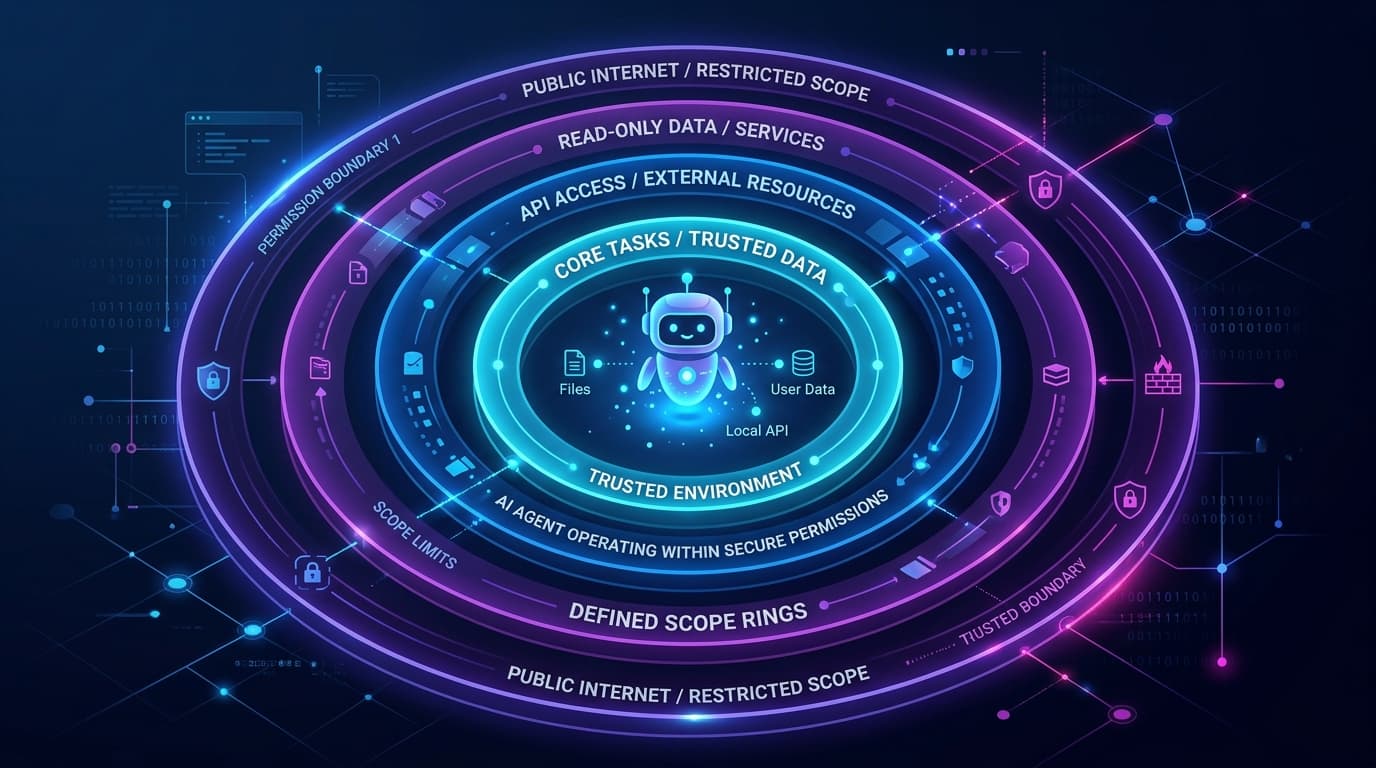
When we talk about scoped agents at Cosmic, we mean something specific: an agent can only do what it has been explicitly granted permission to do, and nothing more.
Every Cosmic agent is configured with a capability set:
cms_read: read content from a bucketcms_write: create and update objects in a bucketcode_read: read repository filescode_write: commit code, open PRsnotify_send: send Slack, email, or Telegram messagesapi_request: call external APIsagent_delegate: message other agentsworkflow_execute: trigger multi-step workflows
An agent configured with only cms_read can browse your content. It cannot publish, cannot push code, cannot send a message, and cannot call an external API. That boundary is enforced by the platform rather than by trusting the agent to self-limit.
Be precise about where the capability boundary stops, though. cms_write is a single switch. Turning it on gives the agent write access to the bucket it is connected to, which includes publishing and deleting. There is no per-object-type restriction, no draft-only mode, and no per-tool permission layer underneath the capability. If you have read that a scoped key can let an agent draft content without being able to publish it, that is not how Cosmic works today. We walk through the real controls in Giving an AI Agent Write Access to Your CMS.
Bucket Isolation
Because the capability is bucket-wide, the bucket is the boundary that does the real work. Each bucket is a fully separate content environment with its own read and write keys. An agent granted access to your staging bucket has zero access to your production bucket unless you explicitly connect it.
This matters in practice. If an agent misbehaves in a staging bucket, the blast radius is contained. You can audit what happened, roll back object changes with version history, and revoke or rotate the write key without any of it touching production.
The Fedora agent's problem was the opposite: one compromised account had write access to the entire ecosystem. There was no meaningful blast radius boundary.
If you want a hard boundary rather than a convention, this is the one to use. Give the agent a sandbox bucket and keep production on a key it never sees.
Review, Attribution, and Rollback
The honest picture of human review in Cosmic today has three parts, none of which is a per-action approval toggle:
- Draft status. An agent can create objects with
status: 'draft'so a person decides what goes live. This is a convention you enforce in the agent's instructions and in review. A write key can still publish, so treat draft-first as a process, not a lock. - Attribution. Every object records who created and modified it, and that carries into analytics. Cosmic Insights can break content performance down by author type: human, agent, or automation. You can always answer "which agent touched this, and when?"
- Version history. Object revisions mean a bad write is recoverable. Rollback is the backstop that matters most when an agent goes wrong quietly, which is exactly the Fedora failure mode.
That combination is what caught nothing in the Fedora case. There was no attribution that made the agent's activity easy to spot, and no cheap rollback path.
How Cosmic Agents Are Triggered
The Fedora agent was, from what the incident report describes, operating continuously without a clear trigger model. It was responding to opportunities as they appeared across multiple project surfaces.
Cosmic agents are triggered deliberately. An agent runs on a schedule you define, on a goal loop with its own cron cadence, or on demand when you or another agent asks it to. Workflows can additionally be configured to fire on CMS events, such as an object being published. In each case the agent does its work and stops. An agent that runs on a defined trigger and then exits has a naturally limited blast radius, even when something goes wrong inside the run.
What This Looks Like in Practice
Here's an example using the Cosmic TypeScript SDK. This is how you'd initialize a read-only content agent that can fetch blog posts but has no write access:
import { createBucketClient } from '@cosmicjs/sdk';

// Read-only client, no write key provided
const cosmic = createBucketClient({
  bucketSlug: process.env.COSMIC_BUCKET_SLUG ?? '',
  readKey: process.env.COSMIC_READ_KEY ?? '',
  // writeKey intentionally omitted
});

// This agent can read content
const { objects } = await cosmic.objects
  .find({ type: 'blog-posts' })
  .props(['id', 'title', 'metadata.teaser'])
  .limit(10);

// This will throw, because no write key is configured
// await cosmic.objects.insertOne({ ... });
The write key is never passed. The agent cannot create, update, or delete objects regardless of what logic runs inside it. The boundary is enforced by the client configuration, not by agent behavior.
For agents that do need write access, you scope the bucket:
import { createBucketClient } from '@cosmicjs/sdk';

// Write access scoped to staging bucket only
const stagingCosmic = createBucketClient({
  bucketSlug: process.env.COSMIC_STAGING_BUCKET ?? '',
  readKey: process.env.COSMIC_STAGING_READ_KEY ?? '',
  writeKey: process.env.COSMIC_STAGING_WRITE_KEY ?? '',
});

// Production bucket, read only
const productionCosmic = createBucketClient({
  bucketSlug: process.env.COSMIC_PROD_BUCKET ?? '',
  readKey: process.env.COSMIC_PROD_READ_KEY ?? '',
  // No write key, so the agent cannot touch production
});
Two clients. One agent. The production bucket is unreachable from the write path.
If you are connecting an agent through the Model Context Protocol rather than the SDK directly, the same key-level boundary applies. The Cosmic MCP Server connects a client such as Claude Code or Cursor to a single bucket with the keys you provide, and MCP Needs a Control Plane covers the governance questions to ask before you connect one to production content.
The Right Mental Model
The Fedora incident is a useful forcing function for anyone building with agents. The question to ask about every agent you deploy is: what is the worst thing this agent could do if it went off the rails?
If the answer is "publish a bad blog post to staging," that's recoverable. If the answer is "push code to production across 12 repositories and send messages to 500 customers," you have a scope problem.
Scoped capabilities, bucket isolation, attribution, and version history are the baseline design pattern for any agent operating in a real production environment. Know which of them your platform enforces and which ones you are enforcing yourself.
Cosmic's own capability and access-control behavior in this post was re-checked on August 25, 2026 against the platform capability set and Giving an AI Agent Write Access to Your CMS.
Want to build agents that are powerful and safe by design? Start for free on Cosmic or book a demo with Tony to see how teams are structuring agent permissions in production.
Continue Learning
Announcing the Cosmic AI Support Agent


Tony Spiro and Mia
October 5, 2026

Connect a Cosmic Agent to Google Sheets
Tony Spiro and Mia
September 25, 2026
Give your agent an inbox, then sign it up for Cosmic
Tony Spiro and Mia
September 23, 2026