
Tony Spiro
April 7, 2026
If you're building with Vue 3 or Nuxt, you've probably run into the content management problem at some point. A traditional CMS bundles its database, rendering engine, and admin interface into one tightly coupled system. That works fine until you want to use Vue's reactivity model, server-side render with Nuxt, or deploy to the edge. Then it becomes a liability.
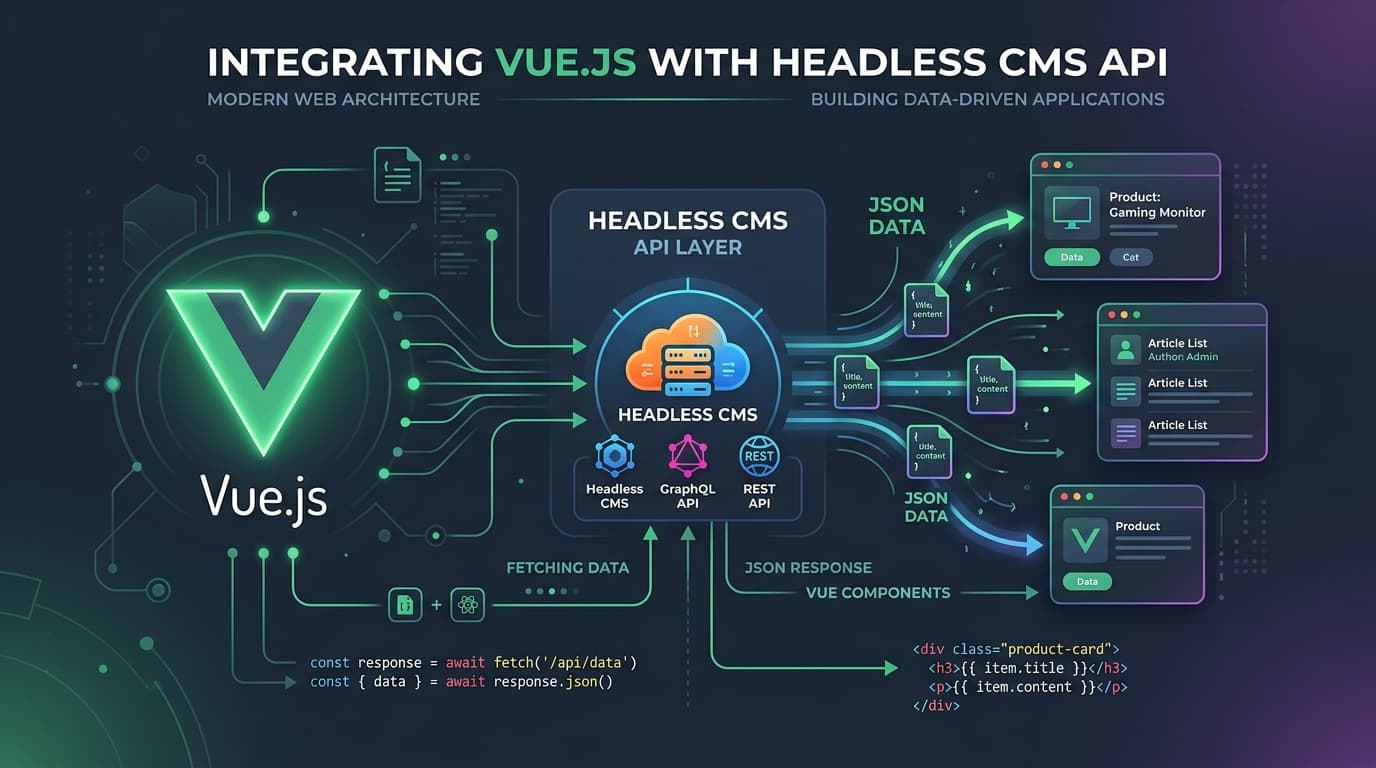
A headless CMS solves this by doing one thing: storing and delivering content through an API. Your Vue app fetches that content as JSON and renders it however it wants. Clean separation of concerns, and the kind of data flow Vue is built for.
This tutorial walks through setting up Cosmic as the CMS backend for a Vue 3 or Nuxt 3 project. By the end, you'll have a working content pipeline from Cosmic's dashboard to a rendered Vue component.
Why Vue Developers Need a Headless CMS
Vue's reactivity system is designed around clean, predictable data flow. You define reactive state, and your templates respond to it. A headless CMS fits this model naturally: content comes in as structured JSON, maps directly to your reactive state, and your components handle the rendering.
Here's what you get that a traditional CMS can't offer:
- Clean separation of concerns. Content editors manage content in a visual dashboard. Developers manage components and data fetching. Neither blocks the other.
- Vue-native data flow. Fetch content into
ref(),reactive(), or a Pinia store. Cosmic's API returns clean JSON that maps directly to your reactive state. - SSR and SSG support. Works with Nuxt's
useAsyncData,useFetch, and$fetchpatterns out of the box. Cache at the CDN layer, not the CMS layer. - Deploy anywhere. Vercel, Netlify, Cloudflare Pages, your own infrastructure. No backend CMS process to keep running.
If you're using Nuxt for server-side rendering or static generation, the benefits compound further: content is fetched at build time or server time, hydrated cleanly, and your editors can update copy without triggering a developer ticket.
Why Cosmic Works Well for Vue and Nuxt Projects
Cosmic is a headless CMS built around an API-first architecture. A few things make it a particularly good fit for Vue teams:
REST API with sub-100ms response times. Cosmic's globally distributed API returns content fast, which matters whether you're fetching at build time in Nuxt or client-side in a Vue SPA.
Official JavaScript SDK. One npm install and you're fetching content. No framework-specific adapter required. The SDK works in Vue 3, Nuxt 3, Vite, Quasar, and anywhere else JavaScript runs.
No migrations needed. Cosmic uses a flexible object model. Change your content schema and the API response updates to match. No database migrations, no downtime, no schema drift to manage.
TypeScript support. The SDK ships with TypeScript types. If you're using TypeScript in your Vue or Nuxt project (and you probably should be), Cosmic's response types integrate cleanly.
Real teams use it. Vuetify, one of the most widely used Vue UI component libraries, runs on Cosmic. That's not a coincidence.
Step 1: Set Up a Cosmic Account
Head to app.cosmicjs.com/signup and create a free account. No credit card required. The Free plan gives you 1 Bucket, 2 team members, and 1,000 Objects, which is more than enough to follow this tutorial and build a real project.
Once you're in, create a new Bucket. A Bucket is your project's content workspace. Think of it as the database for your content.
Step 2: Create a Content Model
For this tutorial, we'll build a simple blog with a posts content type. In your Cosmic dashboard:
- Go to Object Types and click Add Object Type.
- Name it
Posts(slug:posts). - Add the following metafields:
title(text) for the post headlinecontent(rich text or markdown) for the post bodycover_image(file) for the featured imagepublished_date(date)
Save your Object Type. Then create a couple of sample Post objects with placeholder content so you have something to fetch.
This is the core of Cosmic's value: your content schema is yours. If you need a call_to_action field, a related_posts relational field, or a video_url, you add it. The API response adapts immediately.
Step 3: Install the Cosmic JavaScript SDK
In your Vue 3 or Nuxt 3 project, install the SDK:
npm install @cosmicjs/sdk
Then set up your environment variables. Create a .env file in your project root:
COSMIC_BUCKET_SLUG=your-bucket-slug
COSMIC_READ_KEY=your-read-key
You'll find both values in your Cosmic dashboard under Bucket Settings > API Access.
Never commit your write key to version control. For read-only content fetching, the read key is safe to use in client-side code, though using environment variables is still good practice.
Step 4: Fetch Content in a Vue 3 Component
Here's a working example using the Composition API in a Vue 3 + Vite project:
<script setup>
import { ref, onMounted } from 'vue'
import { createBucketClient } from '@cosmicjs/sdk'

const cosmic = createBucketClient({
  bucketSlug: import.meta.env.COSMIC_BUCKET_SLUG,
  readKey: import.meta.env.COSMIC_READ_KEY,
})

const posts = ref([])
const loading = ref(true)

onMounted(async () => {
  const { objects } = await cosmic.objects
    .find({ type: 'posts' })
    .props('id,title,slug,metadata')
    .limit(10)
  posts.value = objects
  loading.value = false
})
</script>

<template>
  <div>
    <div v-if="loading">Loading...</div>
    <ul v-else>
      <li v-for="post in posts" :key="post.id">
        <h2>{{ post.title }}</h2>
        <p>{{ post.metadata.teaser }}</p>
      </li>
    </ul>
  </div>
</template>
The SDK call is chainable and returns typed responses. .props() is worth using: it limits the fields returned by the API, reducing payload size and improving response times.
Step 5: Fetch Content in Nuxt 3 (SSR and SSG)
For Nuxt 3, use useAsyncData to fetch at the server level. This gives you SSR hydration, Nuxt's built-in caching, and works with both ssr: true and static generation via nuxt generate.
<script setup>
import { createBucketClient } from '@cosmicjs/sdk'

const cosmic = createBucketClient({
  bucketSlug: useRuntimeConfig().public.cosmicBucketSlug,
  readKey: useRuntimeConfig().public.cosmicReadKey,
})

const { data: posts } = await useAsyncData('posts', async () => {
  const { objects } = await cosmic.objects
    .find({ type: 'posts' })
    .props('id,title,slug,metadata')
    .limit(10)
  return objects
})
</script>

<template>
  <ul>
    <li v-for="post in posts" :key="post.id">
      <NuxtLink :to="`/posts/${post.slug}`">
        <h2>{{ post.title }}</h2>
      </NuxtLink>
    </li>
  </ul>
</template>
In your nuxt.config.ts, expose the environment variables via runtimeConfig:
// nuxt.config.ts
export default defineNuxtConfig({
  runtimeConfig: {
    public: {
      cosmicBucketSlug: process.env.COSMIC_BUCKET_SLUG,
      cosmicReadKey: process.env.COSMIC_READ_KEY,
    },
  },
})
For static generation, useAsyncData fetches at build time and Nuxt bundles the result into the static payload. Your deployed site loads content from the static payload with zero API calls on page load. For dynamic routes, add a pages/posts/[slug].vue file and fetch by slug using cosmic.objects.findOne().
Step 6: Render Content in a Component
For markdown or rich-text content fields, you'll want a renderer. A lightweight option is marked for markdown:
npm install marked
<script setup>
import { marked } from 'marked'

const props = defineProps({
  post: Object,
})

const renderedContent = computed(() =>
  marked(props.post.metadata.content || '')
)
</script>

<template>
  <article>
    <h1>{{ post.title }}</h1>
    <img
      v-if="post.metadata.cover_image"
      :src="post.metadata.cover_image.imgix_url + '?w=1200&auto=format,compress'"
      :alt="post.title"
    />
    <div v-html="renderedContent" />
  </article>
</template>
Note the imgix URL transformation on the cover image. Every media file uploaded to Cosmic is served through imgix. Appending ?w=1200&auto=format,compress resizes the image, converts to WebP where supported, and compresses it automatically. No image processing pipeline to build or maintain.
AI Agents for Vue Developers: Cosmic + Cursor and Claude Code
Cosmic's AI capabilities extend beyond the dashboard. If you use Cursor or Claude Code for development, Cosmic offers Agent Skills that let your AI coding assistant interact directly with your content layer.
Practically, this means you can prompt your AI agent to:
- Create or update content objects in your Cosmic bucket without leaving your editor
- Generate boilerplate Vue components pre-wired to your content schema
- Scaffold Nuxt pages with the correct
useAsyncDatafetch patterns for your specific Object Types - Automate content migrations or bulk updates programmatically
For Vue teams building content-heavy applications, this shortens the loop between "we need to add a new content type" and "it's fetching in the component" significantly. The agent understands your bucket schema and generates code that matches it.
This is part of what makes Cosmic an AI-powered headless CMS, not just a content API with an AI label attached.
Pricing
Cosmic is free to start. Current plans:
| Plan | Price | Buckets | Team Members | Objects |
|---|---|---|---|---|
| Free | $0/month | 1 | 2 | 1,000 |
| Builder | $99/month | 2 | 3 | 5,000 |
| Team | $299/month | 3 | 5 | 20,000 |
| Business | $499/month | 5 | 10 | 50,000 |
| Enterprise | Custom | Custom | Custom | Custom |
Additional users are $29/user/month on any paid plan. No credit card required to start.
Get Started
If you're building a Vue or Nuxt project and want a CMS that works the way Vue does: reactive, structured, and API-driven, Cosmic is worth trying.
- Start free: app.cosmicjs.com/signup
- Vue developer landing page: cosmicjs.com/headless-cms-for-vue
- Book a demo: calendly.com/tonyspiro/cosmic-intro
No credit card, no lock-in. Just a content API your Vue components will actually enjoy consuming.