
Cosmic
February 12, 2026
Introducing Automate: Create AI Agents and Workflows with Natural Language
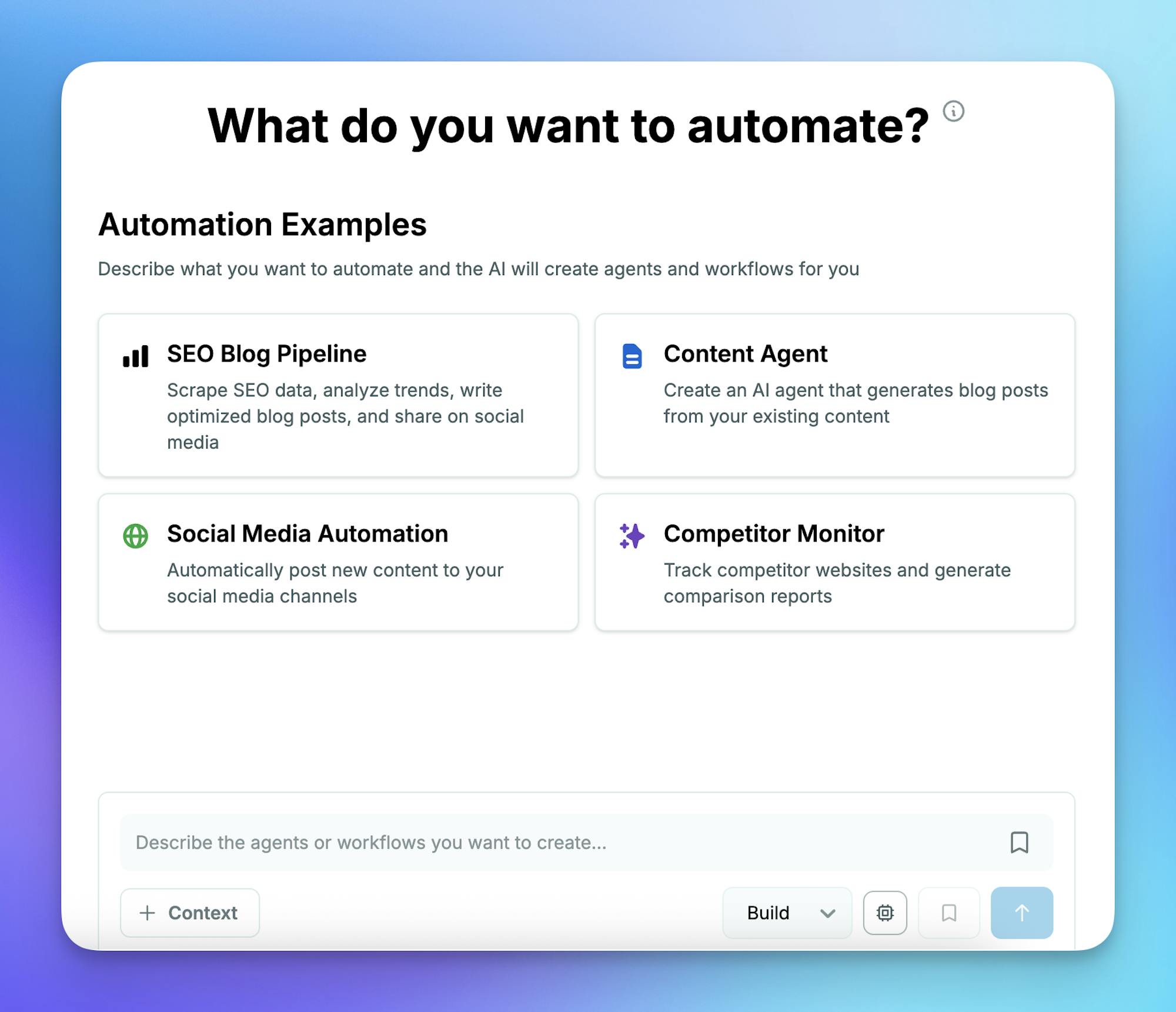
Cosmic now includes a new Automate mode that lets you create and configure AI agents and workflows directly from a conversational interface. Describe what you want to automate, and Cosmic AI will generate the agent or workflow configuration for you, complete with scheduling, approval gates, and multi-step logic.
How to access:
- Dashboard: Go to AI Studio > Automate in the sidebar, or click "Create with AI" on any agent or workflow creation page. Log in to the Cosmic dashboard.
- CLI: Run
cosmic automateorcosmic chat --automateto start creating agents and workflows from the command line. Requires@cosmicjs/cliv1.1.0+. See the Cosmic CLI.
Mentions and Inbox for Comments
The @mention feature in comments has been fixed for customers on workspace plans. A new Inbox in the top bar tracks all your mentions across projects, so you never miss important conversations. Mentions are marked as read automatically when you view them.
Comment Replies with Quoted Text
Replying to comments now includes quoted text from the original message, making it easier to follow threaded discussions and maintain context in longer conversations.
Clear All Objects by Type
A new Clear Objects action lets you delete all objects of a specific type in one step, while keeping the object type definition and its settings intact. Includes a confirmation dialog to prevent accidental deletions.
Improved Deployment Tracking
A new Pending Deploy Banner shows deployment readiness status, tracking whether content has been installed and environment variables have been configured. Deployment logs now resolve correctly across all connected repositories.
Smarter AI Context with Object Type Awareness
Cosmic AI now generates a manifest of your object types and metafields, giving it full awareness of your content structure. This means more accurate suggestions and fewer errors when working with your content through AI when you don't provide Object context.
Workflow Scheduling Improvements
Scheduled agents have been migrated to workflows, giving you more flexibility with cron-based scheduling. Workflow forms now support intuitive start time and repeat frequency selection that automatically generates the correct schedule.
Improved GitHub and Vercel Connection Management
Repository settings now display connected GitHub and Vercel accounts at the repository level. You can create multiple projects across different GitHub accounts and share access with team members through repository-level GitHub connections, rather than being limited to user-level access. Transferring Cosmic Community repositories to your own accounts is now supported with clearer guidance throughout the process.