Build faster with AI-powered content
A guided, 5-stage journey. Master AI agents, MCP integrations, and content automation with practical, hands-on lessons.
- 1

Build an AI Agent Team That Ships Content
This lesson shows you how to set up a coordinated team of AI agents inside Cosmic so they can produce and publish content without manual handoffs. You will have a working agent team by the end.
8 min read - 2

Connect Cosmic to Cursor / Claude Code with MCP
This lesson shows you how to configure an MCP server that gives Cursor and Claude Code direct read and write access to your Cosmic CMS content, so your AI coding tools can query, create, and update content without leaving the editor.
10 min read - 3
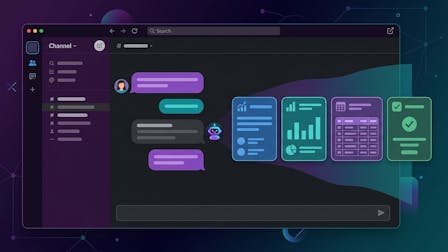
Publish Content from Slack with an AI Agent
This lesson shows you how to connect a Cosmic AI agent to Slack so anyone on your team can trigger content creation with a simple message, without accessing the CMS dashboard or writing a single line of code.
9 min read
- 4
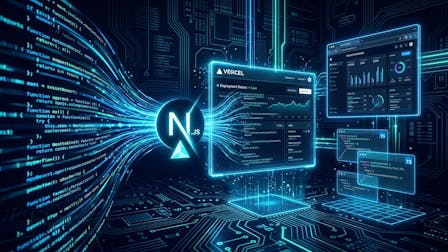
Ship a Site on Cosmic with Next.js
Build a blog on Next.js that reads from your Cosmic bucket. Covers the SDK, lean queries with props, static generation with generateStaticParams, and deploying to Vercel.
6 min read - 5

Ship a Site on Cosmic with Astro
Build a blog on Astro that reads from your Cosmic bucket. Covers the SDK, lean queries with props, static routes with getStaticPaths, and deploying to Vercel.
6 min read - 6

Model Your Content: Metafields and Schema
Create an object type and add metafields in the Cosmic dashboard. Covers field types, required validation, object relationships, and how your model shapes the API response.
8 min read
- 7

Migrate from WordPress or Webflow
Move content from an existing CMS into Cosmic. Covers preserving slugs and publish dates, the Migration Specialist agent, scripted imports with insertOne and batch, media uploads, and verification.
6 min read - 8

REST API Integrations and Webhooks
Read content out of Cosmic and push change notifications to other systems. Covers query filters, props, depth, sorting, the 404-on-empty behavior, and setting up a secured webhook.
7 min read
- 9
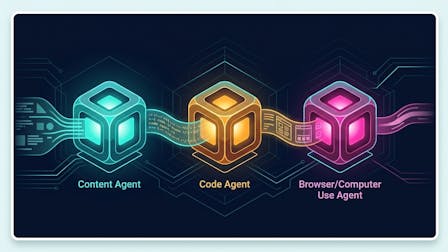
Chain Agents in a Workflow
There is one kind of agent in Cosmic, shaped by capabilities rather than a type you pick at creation. Covers chaining agents in a workflow, approval gates, parallel steps, and the automatic prose handoff between steps that decides whether a chain works.
7 min read - 10

Scheduled and Event-Triggered Workflows
Run work without starting it yourself. Covers plain-language and cron scheduling, timezones, object event triggers such as object.published, agent goals that run until the agent judges them done, and how to avoid a workflow that retriggers itself.
8 min read - 11

Read Your Growth Data with Cosmic Insights
Set up Cosmic Insights and read it. Covers the tracker script, attributing traffic to Cosmic objects with a meta tag, the Overview, Pages, Content, and Sources tabs, and firing custom and revenue events.
6 min read
- 12

Team Roles, Seats, and Permissions
Give people the right access without giving them all of it. Covers project roles, per-bucket roles from Admin to Contributor, publishing restrictions, seat counting, and how team agents are tracked separately from human seats.
6 min read - 13

Localization and Publishing Operations
Run content in more than one language. Covers enabling locales per object type, how localized objects are stored, AI translation, the locale API parameter and its lack of fallback, and revision history and backups.
7 min read