MCP Server: The Complete Guide for Developers (2026)

Tony Spiro
June 5, 2026
MCP server searches have crossed 60,000 per month and are still climbing. If you're building with AI agents in 2026, you've already hit MCP in Cursor's settings panel, Claude Desktop's config file, or a GitHub README. What you might not have is a clear, practical mental model for what an MCP server actually is, when to use one, and how to build and host your own.
This guide gives you that. We'll cover the protocol itself, the mcp.json schema definition, the current ecosystem, the 18 tools Cosmic's native MCP server exposes, and a full walkthrough of creating, connecting, and hosting an MCP server. By the end, you'll have a working MCP-powered content workflow and a solid foundation for building custom MCP servers on top of any data source.
What Is an MCP Server?
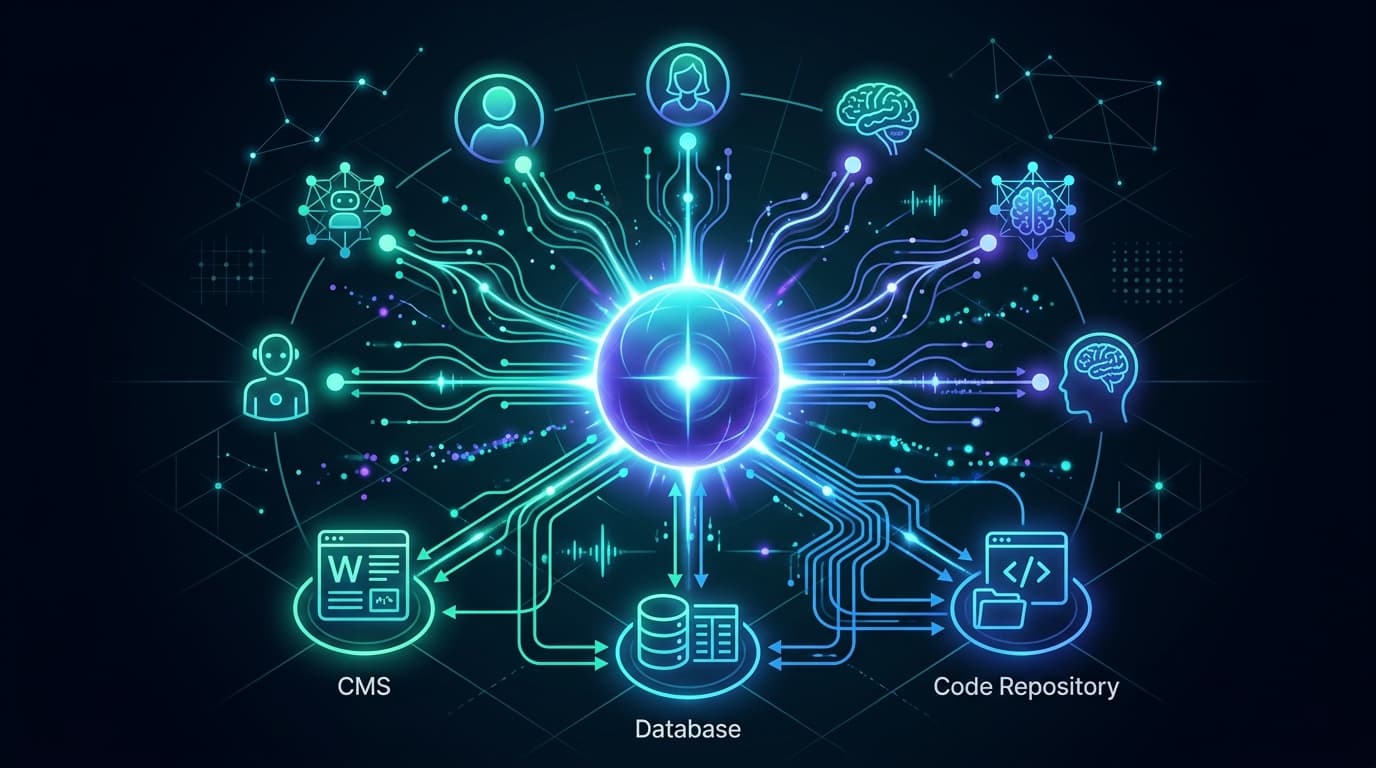
MCP stands for Model Context Protocol. An MCP server is a lightweight service that exposes tools, resources, and prompt templates to AI agents in a standardized way.
The key word is standardized. Before MCP, every tool integration for an AI agent required custom glue code: a bespoke JSON schema, a one-off API wrapper, a pile of system prompt instructions. Each AI client had its own format. Nothing was portable.
MCP solves that with a common interface that any compliant AI client can speak. You build the server once. Claude, Cursor, Copilot, Codex — any client that supports MCP can connect to it without modification.
At its core, an MCP server does three things:
- Exposes tools the agent can call ("fetch this object", "create a new page", "search posts by tag")
- Provides resources that give the agent context (a knowledge base, a content schema, a list of available types)
- Accepts prompt templates that shape how the agent reasons about the data it receives
The protocol was introduced by Anthropic and has since been adopted broadly across the developer ecosystem. It operates over two transports: HTTP/SSE (for hosted endpoints) and stdio (for local processes). Any language or runtime can implement it.
Why MCP Is Everywhere Right Now
Three things converged over the last 12 months to push MCP from niche spec to mainstream standard.
1. Agentic IDEs needed a universal tool layer
Cursor, Claude Code, and Codex aren't autocomplete tools anymore. They're autonomous coding agents that run multi-step tasks: reading files, editing code, running tests, committing changes. For those agents to act on your data — your CMS, your database, your API — they need a standardized way to reach it. MCP servers are that hook.
2. Claude's native MCP support changed the calculus
When Anthropic built MCP support directly into Claude Desktop and the Claude API, adoption exploded. Developers who had been wiring up custom tool definitions switched to MCP because the portability payoff was immediate: build the server once, connect any compatible client.
3. The skills model is winning
Early agentic tooling required developers to describe every tool in a flat JSON schema, which didn't scale. MCP introduces the concept of discrete, composable capabilities that agents can discover and invoke dynamically. This is a better mental model for production agentic workflows, and it's the direction the ecosystem has converged on.
The mcp.json Schema: Complete Reference
Every MCP client reads its server configuration from a JSON file. Understanding the mcp.json schema is essential for setting up any MCP server correctly.
mcp.json Schema Definition
The top-level structure of an mcp.json config file looks like this:
{
  "mcpServers": {
    "server-name": {
      "command": "string",
      "args": ["array", "of", "strings"],
      "env": {
        "ENV_VAR_NAME": "value"
      },
      "url": "https://...",
      "headers": {
        "header-name": "value"
      }
    }
  }
}
mcpServers Key Requirements
The mcpServers object is the required top-level key. Each child key is an arbitrary name you give the server (e.g. "cosmic", "github", "postgres"). Within each server definition:
| Property | Type | Required | Description |
|---|---|---|---|
command | string | Yes (stdio) | The command to run the MCP server process (e.g. "npx") |
args | string[] | No | Arguments passed to command (e.g. ["-y", "@cosmicjs/mcp-server"]) |
env | object | No | Environment variables injected into the server process |
url | string | Yes (HTTP/SSE) | Hosted endpoint URL (used instead of command for remote servers) |
headers | object | No | HTTP headers sent with every request (used for auth with hosted servers) |
For stdio transport (local process), use command + args + env.
For HTTP/SSE transport (hosted server), use url + headers.
You cannot mix command and url in the same server definition.
Where mcp.json Lives Per Client
| Client | Config file location |
|---|---|
| Claude Desktop (macOS) | ~/Library/Application Support/Claude/claude_desktop_config.json |
| Claude Desktop (Windows) | %APPDATA%\Claude\claude_desktop_config.json |
| Cursor (project-scoped) | .cursor/mcp.json in your project root |
| Cursor (global) | ~/.cursor/mcp.json |
| Windsurf | ~/.codeium/windsurf/mcp_config.json |
| VS Code (Copilot) | .vscode/mcp.json |
Complete mcp.json Example (Cosmic, stdio)
{
  "mcpServers": {
    "cosmic": {
      "command": "npx",
      "args": ["-y", "@cosmicjs/mcp-server"],
      "env": {
        "COSMIC_BUCKET_SLUG": "your-bucket-slug",
        "COSMIC_READ_KEY": "your-read-key",
        "COSMIC_WRITE_KEY": "your-write-key"
      }
    }
  }
}
Complete mcp.json Example (Cosmic, hosted HTTP/SSE)
{
  "mcpServers": {
    "cosmic": {
      "url": "https://mcp.cosmicjs.com",
      "headers": {
        "x-bucket-slug": "your-bucket-slug",
        "x-read-key": "your-read-key",
        "x-write-key": "your-write-key"
      }
    }
  }
}
For read-only access, omit the write key entirely. Write tools return a clear error if invoked without one.
The MCP Protocol: How It Actually Works
Under the hood, an MCP server runs as a process (local or hosted) that communicates with MCP clients over a defined protocol.
Transports
MCP supports two transports:
HTTP/SSE (Server-Sent Events): The client sends HTTP POST requests to the server's endpoint. The server streams responses back via SSE. This is the standard for hosted MCP servers — it works over any HTTPS connection, requires no local install, and scales like any other web service.
stdio: The client spawns the server as a local process and communicates over standard input/output. This is common for developer tools that run inside an IDE (Cursor, Claude Desktop in local mode). Lower latency, but requires the server to be installed locally.
The Three Primitives
Tools are functions the agent can call. Each tool has a name, a description (used by the agent to decide when to call it), and a JSON schema for its input parameters. The agent calls a tool, the server executes the function and returns a result, the agent uses the result in its next step.
Resources are data objects the server exposes for context. A resource might be a list of available content types, a brand guideline document, or a schema definition. Resources are read by the agent at the start of a session to build its understanding of what it's working with.
Prompt templates are reusable instruction fragments that shape agent behavior for specific tasks. A template might define how the agent should format a content update request, or how it should structure a search query.
Discovery
When an MCP client first connects to a server, it calls the list_tools, list_resources, and list_prompts endpoints. The server returns its full capability manifest. The client caches this and presents the tools to the agent as available functions. No manual configuration required.
The Current MCP Ecosystem
As of mid-2026, MCP servers exist for most major developer tools and data sources. Some of the most actively used:
Content and data:
- Cosmic (content management — read, write, schema, AI generation)
- Notion, Airtable, Linear (structured data and project management)
- GitHub (repositories, issues, PRs)
- Postgres, SQLite (direct database access)
Development tools:
- Vercel (deployments, logs, environment variables)
- Sentry (error tracking)
- Datadog (observability)
Communication:
- Slack (channels, messages, threads)
- Gmail, Outlook (email)
Search and web:
- Brave Search, Exa (web search)
- Firecrawl (web scraping and extraction)
The Anthropic MCP repository maintains an official list of servers: github.com/modelcontextprotocol/servers.
MCP Server vs. Direct API: When to Use Each
MCP is a layer on top of your REST API, optimized for agent consumption.
Use the REST API directly when:
- You're writing application code that calls an endpoint on a fixed schedule
- You need low-level control over request parameters
- You're integrating with a non-AI system
- You want typed SDK methods with autocomplete and error handling
Use an MCP server when:
- You want an AI agent to discover and call tools dynamically
- You're connecting an AI assistant (Claude, Cursor, Copilot) to your data
- You want portability across multiple AI clients without rewriting integrations
- You're building a workflow where the agent decides which tools to call based on context
For Cosmic specifically: use the TypeScript SDK in your application code, and use the MCP server for agent-driven workflows in Claude Desktop, Cursor, or any MCP-compatible client.
Cosmic's MCP Server: 18 Tools Across 4 Categories
Cosmic ships a native MCP server as a first-class feature. It's built and maintained by the Cosmic team and exposes 18 tools across four categories.
Objects (5 tools)
list_objects— list or search content objects by type, status, or localeget_object— fetch a single object by ID or slugcreate_object— create a new object (blog post, page, product, etc.)update_object— edit an existing object's content or metadatadelete_object— permanently delete an object
Media (4 tools)
list_media— browse media files, optionally scoped to a folderget_media— fetch metadata and the imgix URL for a single assetupload_media— upload a file from a URL or base64 payloaddelete_media— remove a media file
Object Types (5 tools)
list_object_types— list every content model in the bucketget_object_type— fetch the full schema for a single typecreate_object_type— define a new content modelupdate_object_type— evolve an existing schemadelete_object_type— drop a content model and all its objects
AI Generation (4 tools)
generate_text— draft, rewrite, summarize, or translate copy using your bucket's own content as contextgenerate_image— generate an image and store it in your media librarygenerate_video— generate a short video clip (Google Veo)generate_audio— generate narration audio from text (13 voices via OpenAI TTS)
How to Create an MCP Server
Creating an MCP server involves four steps: defining your tools, implementing the protocol endpoints, testing locally, and deploying. Here's the full walkthrough.
Step 1: Install the MCP SDK
npm install @modelcontextprotocol/sdk
Step 2: Define your tools
Each tool needs a name, a description the agent can reason about, and a JSON Schema definition for its inputs:
import { Server } from '@modelcontextprotocol/sdk/server/index.js';
import { StdioServerTransport } from '@modelcontextprotocol/sdk/server/stdio.js';
import {
  CallToolRequestSchema,
  ListToolsRequestSchema,
} from '@modelcontextprotocol/sdk/types.js';

const server = new Server(
  { name: 'my-mcp-server', version: '1.0.0' },
  { capabilities: { tools: {} } }
);

server.setRequestHandler(ListToolsRequestSchema, async () => ({
  tools: [
    {
      name: 'get_item',
      description: 'Fetch a single item from the database by ID',
      inputSchema: {
        type: 'object',
        properties: {
          id: {
            type: 'string',
            description: 'The item ID to fetch',
          },
        },
        required: ['id'],
      },
    },
  ],
}));
Step 3: Implement tool handlers
server.setRequestHandler(CallToolRequestSchema, async (request) => {
  if (request.params.name === 'get_item') {
    const { id } = request.params.arguments as { id: string };

    // Call your actual service or database here
    const item = await myDatabase.findById(id);

    return {
      content: [
        {
          type: 'text',
          text: JSON.stringify(item, null, 2),
        },
      ],
    };
  }

  throw new Error(`Unknown tool: ${request.params.name}`);
});
Step 4: Connect the transport and start the server
For local stdio (dev and IDE use):
const transport = new StdioServerTransport();
await server.connect(transport);
console.error('MCP server running on stdio');
For HTTP/SSE (hosted production use):
import { SSEServerTransport } from '@modelcontextprotocol/sdk/server/sse.js';
import express from 'express';

const app = express();
const transports: Record<string, SSEServerTransport> = {};

app.get('/sse', async (req, res) => {
  const transport = new SSEServerTransport('/messages', res);
  transports[transport.sessionId] = transport;
  await server.connect(transport);
});

app.post('/messages', async (req, res) => {
  const sessionId = req.query.sessionId as string;
  const transport = transports[sessionId];
  if (transport) await transport.handlePostMessage(req, res);
});

app.listen(3000);
Step 5: Test your server locally
Use the MCP Inspector to verify your server before connecting a real client:
npx @modelcontextprotocol/inspector npx ts-node src/server.ts
The inspector opens a browser UI where you can call tools manually and inspect responses.
How to Host an MCP Server
Once your server is built and tested locally, there are three main hosting options.
Option 1: Publish as an npm package (stdio, easiest)
If your users will run the MCP server locally via npx, publish it to npm. This is how most community MCP servers are distributed, including @cosmicjs/mcp-server.
// package.json
{
  "name": "@yourorg/mcp-server",
  "version": "1.0.0",
  "bin": {
    "mcp-server": "./dist/index.js"
  },
  "scripts": {
    "build": "tsc",
    "start": "node dist/index.js"
  }
}
Users add it to their mcp.json with:
{
  "mcpServers": {
    "your-server": {
      "command": "npx",
      "args": ["-y", "@yourorg/mcp-server"],
      "env": { "API_KEY": "user-api-key" }
    }
  }
}
Option 2: Deploy as an HTTPS endpoint (HTTP/SSE, scalable)
For a hosted MCP server that requires no local install, deploy as a standard web service. Any Node.js host works: Vercel, Railway, Fly.io, AWS Lambda.
Vercel deployment is straightforward for HTTP/SSE servers:
npm install -g vercel
vercel deploy
Users connect via url in their mcp.json, passing credentials as headers.
Option 3: Use Cosmic's hosted MCP endpoint (zero infrastructure)
If you're managing content, Cosmic's hosted MCP server at https://mcp.cosmicjs.com eliminates infrastructure entirely. Pass your bucket credentials as headers and your agent has full content access with zero deployment work on your end.
Agentic Coding Workflows with Hosted MCP Servers
Hosted MCP servers unlock a key pattern for agentic coding workflows in 2026: your CI/CD pipeline, your editor, and your production AI agents all connect to the same server endpoint. No version drift. No local install required in CI. One endpoint, any client.
For teams adopting agentic coding workflows, a hosted MCP server is the most operationally stable choice. The stdio pattern works well for individual developer machines; HTTP/SSE scales to teams and automation pipelines.
Connecting Cosmic's MCP Server to Claude Desktop
The hosted endpoint is the fastest way to connect. No local install required.
Step 1: Get your Cosmic credentials
In your Cosmic dashboard, go to your bucket and navigate to Settings > API Access. Copy:
- Your bucket slug
- Your read key
- Your write key (only needed if you want the agent to create or update content)
Step 2: Add to Claude Desktop config
Open your Claude Desktop config file. On macOS it's at ~/Library/Application Support/Claude/claude_desktop_config.json.
Add the Cosmic MCP server entry:
{
  "mcpServers": {
    "cosmic": {
      "url": "https://mcp.cosmicjs.com",
      "headers": {
        "x-bucket-slug": "your-bucket-slug",
        "x-read-key": "your-read-key",
        "x-write-key": "your-write-key"
      }
    }
  }
}
For read-only access, omit the x-write-key header.
Step 3: Restart Claude Desktop
Quit and reopen Claude Desktop. You should see the Cosmic tools appear in the tool picker (the hammer icon in the input bar).
Step 4: Test with a natural language command
List all draft blog posts from the last 7 days
Claude will call list_objects with type blog-posts, status draft, and return the results in a structured format.
Connecting to Cursor
For Cursor, add the config to .cursor/mcp.json in your project root (project-scoped) or ~/.cursor/mcp.json (global):
{
  "mcpServers": {
    "cosmic": {
      "url": "https://mcp.cosmicjs.com",
      "headers": {
        "x-bucket-slug": "your-bucket-slug",
        "x-read-key": "your-read-key",
        "x-write-key": "your-write-key"
      }
    }
  }
}
Once connected, Cursor's agent can reference your content model when generating code, ensuring that component props, TypeScript types, and API calls match your actual bucket schema.
If you want a guided walkthrough of the full connection process, Lesson 2 of Learn Cosmic walks you through connecting Cosmic to Cursor or Claude Code with MCP in about 10 minutes, from credentials to your first successful tool call.
Self-Hosted Option (stdio)
If you prefer to run the MCP server locally inside your dev environment, the npm package ships a stdio binary:
npx @cosmicjs/mcp-server
Or install globally:
npm install -g @cosmicjs/mcp-server
The stdio binary reads credentials from environment variables:
export COSMIC_BUCKET_SLUG=your-bucket-slug
export COSMIC_READ_KEY=your-read-key
export COSMIC_WRITE_KEY=your-write-key  # optional
Claude Desktop config for self-hosted stdio:
{
  "mcpServers": {
    "cosmic": {
      "command": "npx",
      "args": ["-y", "@cosmicjs/mcp-server"],
      "env": {
        "COSMIC_BUCKET_SLUG": "your-bucket-slug",
        "COSMIC_READ_KEY": "your-read-key",
        "COSMIC_WRITE_KEY": "your-write-key"
      }
    }
  }
}
Using the Cosmic SDK in Your Application Code
For application code, use the TypeScript SDK rather than the MCP server. The SDK gives you full type safety, autocomplete, and direct control over every API parameter.
import { createBucketClient } from '@cosmicjs/sdk';

const cosmic = createBucketClient({
  bucketSlug: process.env.COSMIC_BUCKET_SLUG as string,
  readKey: process.env.COSMIC_READ_KEY as string,
  writeKey: process.env.COSMIC_WRITE_KEY as string,
});

// Fetch published blog posts
const { objects: posts } = await cosmic.objects
  .find({ type: 'blog-posts' })
  .props('title,slug,metadata.teaser,metadata.published_date')
  .sort('-created_at')
  .limit(10);

// Create a new post
const { object } = await cosmic.objects.insertOne({
  title: 'My New Post',
  type: 'blog-posts',
  metadata: {
    teaser: 'A short description for the post.',
    published_date: new Date().toISOString().split('T')[0],
  },
});
The SDK is the right choice when you control the call site. The MCP server is the right choice when an AI agent controls the call site.
MCP Server vs. Agent Skills: What's the Difference?
Cosmic ships both an MCP server and Agent Skills. These are complementary but serve different purposes.
| MCP Server | Agent Skills | |
|---|---|---|
| Purpose | Direct content management | Code generation guidance |
| Use case | "List my blog posts" | "Build a blog with Cosmic" |
| How it works | AI calls tools to interact with your bucket | AI writes code using the SDK |
| Best for | Managing content while developing | Building applications |
Use both together: Agent Skills helps your AI write application code that uses the Cosmic SDK correctly; the MCP server lets your AI directly manage content in your bucket.
What to Read Next
Now that you have the full picture on MCP servers, here are the related pieces worth reading:
- What is an MCP Server? (Quick intro) — the short version for sharing with non-technical teammates
- Cosmic MCP vs. Strapi MCP — side-by-side comparison of the two MCP implementations
- MCP vs. Agent Skills — when to use each, with concrete examples
- Build a DevOps Slack Agent with Cosmic — a practical agent tutorial that uses MCP-powered content access
Learn how to build this in Cosmic
The Learn Cosmic hub has step-by-step lessons on building agentic workflows, connecting AI tools to your content layer, and shipping sites with Next.js, Astro, and more.
Get Started with Cosmic's MCP Server
MCP is moving fast. The developers who wire up production-grade MCP workflows now will have a meaningful head start.
Cosmic's hosted MCP endpoint removes the infrastructure work and lets you focus on what the agent actually does.
Sign up free — no credit card required
Already have an account? Go to MCP settings
Want a walkthrough for your specific stack? Book 15 minutes with Tony
Full MCP docs: cosmicjs.com/docs/mcp-server
Cosmic is a YC W19-backed headless CMS built for developers and AI-native teams.
Continue Learning

Announcing the Cosmic AI Support Agent


Tony Spiro and Mia
October 5, 2026

Connect a Cosmic Agent to Google Sheets
Tony Spiro and Mia
September 25, 2026
Give your agent an inbox, then sign it up for Cosmic
Tony Spiro and Mia
September 23, 2026