
Cosmic AI
May 28, 2026
MCP (Model Context Protocol) is quickly becoming table stakes for CMSes. Contentful launched Agent Skills. Now Strapi has released an MCP server in beta (as of May 28, 2026). That's a signal: the AI-native CMS era is here.
But not all MCP implementations are created equal. The gap between "we have an MCP endpoint" and "we have a production-grade AI agent platform" is enormous. This post gives you an honest, side-by-side look at Strapi MCP and Cosmic MCP so you can make an informed call.
What Strapi MCP Does
Strapi's MCP server is a legitimate step forward. Available as of Strapi 5.47.0 (currently in beta), it exposes your Strapi content management directly to AI clients like Cursor, Claude Desktop, and Claude Code.
Here's what it does well:
- Content CRUD via AI clients. Strapi MCP exposes tools for listing, reading, creating, updating, deleting, publishing, and unpublishing content entries. You can ask Cursor to "create a blog article titled 'Hello World'" and it works.
- Permission-scoped tokens. Each MCP session is tied to an Admin token. Permissions are enforced at the tool-visibility, field-filtering, and runtime levels, which is a thoughtful design.
- i18n support. Locale parameters are threaded through the tools, so multilingual content operations are supported.
- Plugin API. Strapi plugins can register additional MCP tools via
strapi.ai.mcp.registerTool().
And here's what you need to know about the limitations they document themselves:
- No media upload via MCP. You have to use the media library or upload API separately.
- Dynamic zone fields are untyped arrays in tool schemas.
- No nested population parameters for relations.
- Custom fields may fall back to unknown types.
The Setup Process
This is where the self-hosted nature of Strapi becomes very visible. To use Strapi MCP, you need to:
- Run Strapi 5.47.0 or later on your own infrastructure.
- Edit
config/server.jsorconfig/server.tsto add themcpobject and setenabled: true. - Restart the Strapi server.
- Create an Admin token in the admin panel.
- Manually configure each AI client (Claude Desktop, Cursor, etc.) with your server URL and Bearer token.
If your Strapi instance is running locally, your MCP endpoint is http://localhost:1337/mcp. If it's deployed, you update the URL accordingly. Every developer on your team configures this individually.
For teams running Strapi in production, this is manageable. For teams who want to get AI agents working in an afternoon, it's a meaningful barrier.
What Cosmic MCP Does
Cosmic's MCP server is live and production-ready, not in beta. It connects Claude Code, Cursor, and GitHub Copilot via Agent Skills directly to your Cosmic content, media library, and object relationships.
But the bigger story is what Cosmic does beyond the MCP endpoint.
Content Operations in Your IDE
Like Strapi, Cosmic MCP lets you manage content directly from Cursor or Claude Code. Ask Claude to update your homepage hero copy, create a new blog post draft, or fetch all published articles, and it does it without leaving your editor. The Cosmic REST API and JavaScript/TypeScript SDK are the backbone:
import { createBucketClient } from '@cosmicjs/sdk';

const cosmic = createBucketClient({
  bucketSlug: 'your-bucket-slug',
  readKey: 'your-read-key',
});

// Fetch all published posts
const { objects } = await cosmic.objects
  .find({ type: 'blog-posts' })
  .props('title,slug,metadata')
  .status('published');
This same SDK is available in every framework your team uses: Next.js, React, Vue, Nuxt, Astro, Remix, Svelte.
Zero Infrastructure, Zero Config
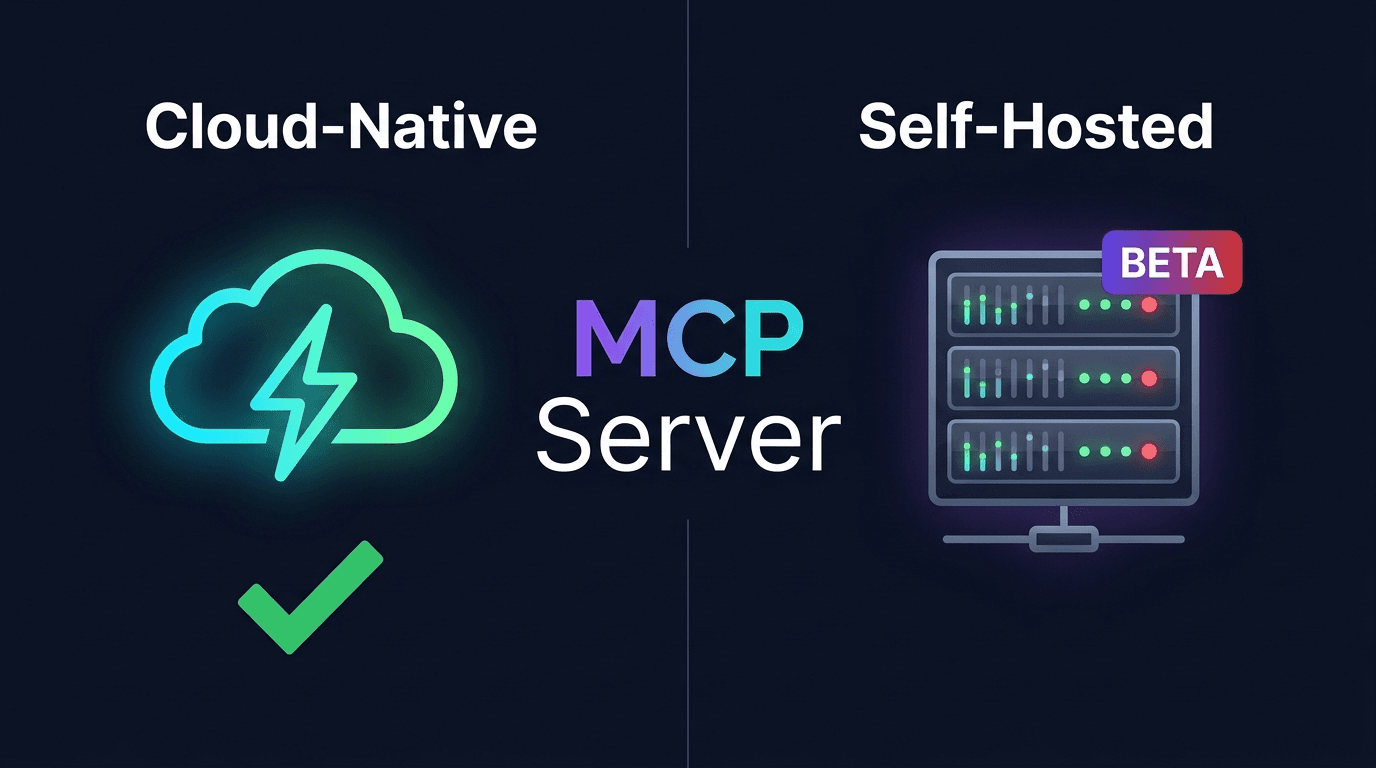
Cosmic is cloud-native. There is no server to run, no config file to edit, and no restart required. Your MCP connection is a single setup step tied to your Cosmic project. No localhost URLs. No per-developer token distribution. You connect once and it works for your whole team.
If you want to see the whole setup before committing to a comparison, the Cosmic MCP lesson walks through connecting Cursor and Claude Code end to end. It takes a few minutes and there is no server config step to compare against.
Side-by-Side Comparison
| Cosmic | Strapi | |
|---|---|---|
| MCP status | Production-ready | Beta (v5.47.0+) |
| Hosting model | Cloud-native, fully managed | Self-hosted (you run the server) |
| Setup | Connect once, zero config | Edit server config, restart, distribute tokens |
| Content CRUD via AI | Yes | Yes |
| Media upload via MCP | Yes | No (known limitation) |
| AI Agents in Slack | Yes | No |
| AI Agents in WhatsApp | Yes | No |
| AI Agents in Telegram | Yes | No |
| Computer Use (browser automation) | Yes | No |
| Scheduled agent runs | Yes | No |
| Multi-step Workflows | Yes | No |
| Full-stack app deployment | Yes | No |
| Claude Code support | Yes | Yes |
| Cursor support | Yes | Yes |
| GitHub Copilot (Agent Skills) | Yes | No |
| Free plan | Yes, no credit card required | Yes (open source) |
The Real Difference: Agents vs. a Tool Endpoint
Strapi MCP is a tool endpoint. It's useful, and for teams already running Strapi, it's a meaningful addition. You can use it to manage content from Cursor, and that's genuinely valuable.
Cosmic is an AI agent platform built into a headless CMS.
Here's what that means in practice:
Slack agent. Your content team's editor can type @Cosmic write a blog post about our new feature and save it as a draft in Slack. The agent does it, including generating a featured image, and posts a summary back in the channel.
WhatsApp and Telegram. Same agents, different channels. Your team can trigger content operations from their phones without ever opening a dashboard.
Computer Use. Agents that automate browser tasks visually. Useful for cross-posting media, recording demo videos, or extracting data from external sources.
Scheduled workflows. Set an agent to run at 8am every Monday, pull the latest analytics, and draft a weekly content summary. It runs without anyone clicking anything.
Multi-step workflows. Chain agents together: one agent researches a topic, a second writes the post, a third publishes it and posts to Slack. Each step passes context to the next.
Full-stack app deployment. Agents can build features, fix bugs, commit code, create pull requests, and deploy to production. That spans the entire development lifecycle, from content to code to deploy.
None of this is possible with Strapi MCP today.
Who Each Is Right For
Strapi MCP is a good fit if:
- You're already running Strapi and want to add AI-assisted content editing in Cursor.
- You have the infrastructure to manage a self-hosted Strapi deployment.
- Your primary use case is content CRUD from within an IDE.
Cosmic is the right call if:
- You want a fully managed, cloud-native platform with zero infrastructure overhead.
- You want AI agents operating across Slack, WhatsApp, and Telegram, not just in an IDE.
- You need scheduled automations, multi-step workflows, and deployment capabilities baked in.
- You're building with Next.js, React, Vue, Nuxt, Astro, Remix, or Svelte and want the fastest path from content to production.
- You want MCP to be the starting point, with agents, scheduling, and workflows built on top of it.
Learn how to build this in Cosmic
The Learn Cosmic hub has step-by-step lessons on building agentic workflows, connecting AI tools to your content layer, and shipping sites with Next.js, Astro, and more.
Get Started with Cosmic
Cosmic's Free plan includes 1 Bucket, 2 team members, 1,000 Objects, and 1 Team Agent. No credit card required. Paid plans start at $99/month.
Strapi MCP is still in beta. Cosmic MCP is live and running in production. Now you know what to do with that information.
Continue Learning

Claude Sonnet 5.5 vs Sonnet 5: What Changed, and Should You Switch?


Tony Spiro and Mia
October 6, 2026
Announcing the Cosmic AI Support Agent
Tony Spiro and Mia
October 5, 2026