
Tony Spiro
April 8, 2026
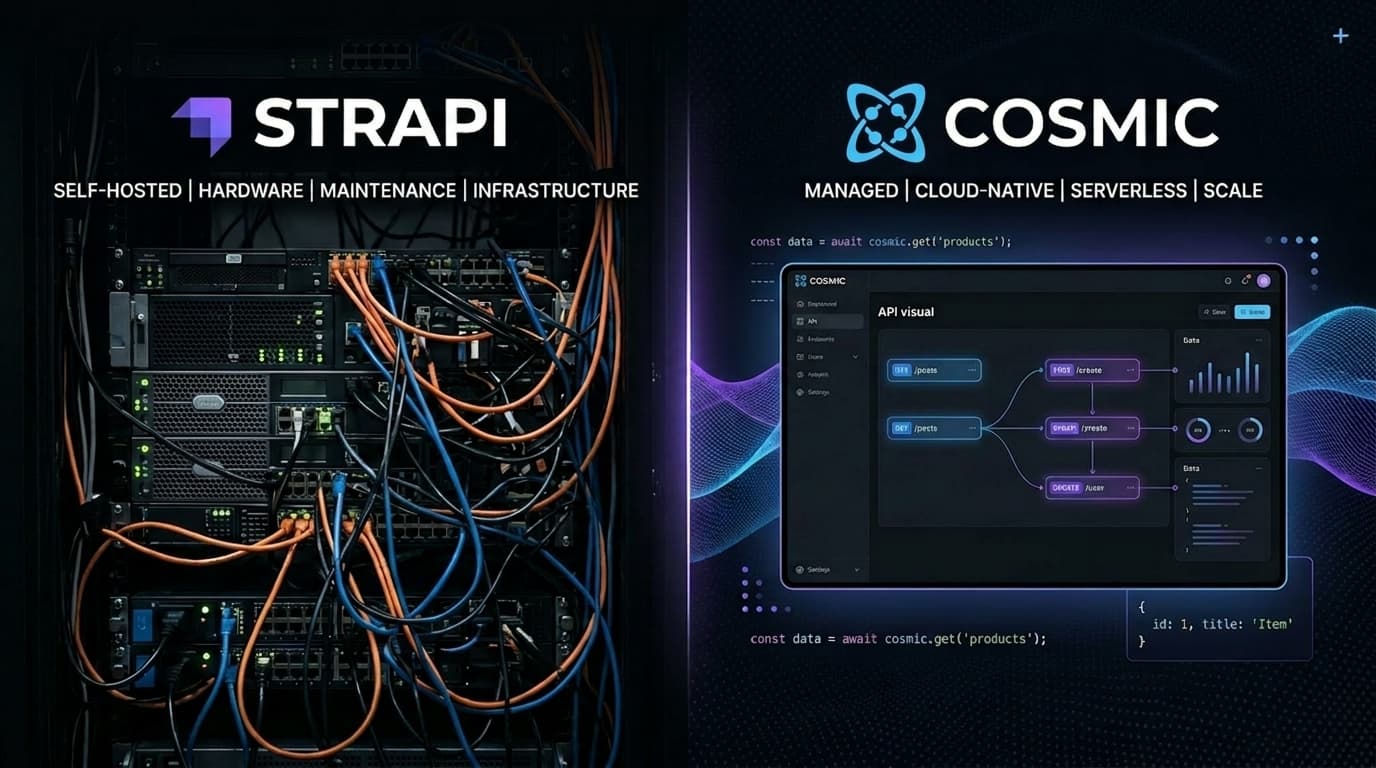
Strapi got you far. It was the right call when you needed an open-source, self-hosted CMS with flexible content modeling. But somewhere along the way, the CMS became infrastructure work. You're patching Node.js versions, surviving the Strapi v4-to-v5 upgrade treadmill, babysitting a VPS at 2am, and wondering why a content management problem turned into a DevOps problem.
This guide is for teams ready to skip that. We'll walk through how to map your Strapi content model to Cosmic, export your data, import it cleanly, and start fetching from Cosmic in Next.js, Nuxt, and Astro — with zero servers to manage.
If you're still evaluating whether Cosmic is the right fit, see our full Strapi alternative comparison for a side-by-side breakdown.
1. Why Teams Migrate from Strapi
You Own the Infrastructure (And All Its Problems)
Strapi is self-hosted by default. That means you own uptime, scaling, security patches, and Node.js version compatibility. When your server goes down, your content API goes down. When a CVE drops, you're on the hook.
Cosmic is fully managed. There's no infrastructure to provision, no server to patch, and no scaling knobs to turn. Cosmic maintains a 99.9% uptime SLA so your content is always available — whether you're serving 100 requests/day or 10 million.
The v4 to v5 Upgrade Treadmill
Strapi v5 shipped with breaking changes: new document service API, plugin incompatibilities, changed response formats, and a migration CLI that doesn't cover every edge case. Teams running heavily customized Strapi v4 installs have spent weeks on upgrades that should have taken hours.
Cosmic doesn't put you on an upgrade treadmill. We handle platform upgrades on our end. Your API stays stable, your integrations keep working, and your team ships features instead of chasing compatibility fixes.
Server Required. Always.
Strapi requires a running Node.js server. You can't call Strapi from a static site, an edge function, or a mobile app without that server in the middle. You're maintaining a deployment target just to read content.
Cosmic's REST API works from anywhere: edge functions, serverless, static sites, mobile apps, IoT — anywhere that can make an HTTP request. Response times consistently come in under 100ms thanks to global CDN caching.
Setup Before You Can Ship
Strapi requires installation, database configuration, plugin setup, and API permissions configuration before you can fetch a single piece of content. A new developer joining the project has to set up a local Strapi instance before they can work.
With Cosmic, the API is ready the moment you create a bucket. No setup, no local server, no database. You get credentials and start fetching.
2. Content Model Mapping
Strapi and Cosmic share the same fundamental concept: structured content with fields. The terminology is different, but the mapping is clean.
| Strapi Concept | Cosmic Equivalent |
|---|---|
| Collection Type | Object Type |
| Single Type | Object Type (single object) |
| Component | Metafield Group (parent type) |
| Dynamic Zone | Multiple Object Types + relationship fields |
| Entry | Object |
| Field | Metafield |
| Relation | Object / Objects metafield |
| Media | File metafield (served via Imgix CDN) |
| UID field | Slug (auto-generated or custom) |
| Draft/Publish | Draft/Published status |
Example: Blog Post
Strapi Collection Type: Article
{
  "title": "string",
  "slug": "uid",
  "body": "richtext",
  "cover": "media",
  "author": "relation → Author",
  "publishedAt": "datetime"
}
Cosmic Object Type: blog-posts
{
  "title": "text",
  "slug": "auto-generated",
  "body": "markdown or html-textarea",
  "image": "file",
  "author": "object (→ authors type)",
  "published_date": "date"
}
The structure maps directly. Cosmic metafields support: text, textarea, markdown, html-textarea, number, date, switch, select, file, files, object, objects, json, and more.
3. Step-by-Step Migration
Step 1: Export Your Strapi Data
Strapi exposes your content via its REST API. Use it to export everything before you start.
# Export all entries from a collection type
curl "https://your-strapi-app.com/api/articles?pagination[pageSize]=100&populate=*" \
  -H "Authorization: Bearer YOUR_STRAPI_API_TOKEN" \
  > articles.json
For larger datasets, paginate:
// export-strapi.mjs
const STRAPI_URL = 'https://your-strapi-app.com';
const STRAPI_TOKEN = process.env.STRAPI_TOKEN;

async function exportCollection(contentType) {
  let page = 1;
  const pageSize = 100;
  let allEntries = [];
  let hasMore = true;

  while (hasMore) {
    const res = await fetch(
      `${STRAPI_URL}/api/${contentType}?pagination[page]=${page}&pagination[pageSize]=${pageSize}&populate=*`,
      { headers: { Authorization: `Bearer ${STRAPI_TOKEN}` } }
    );
    const data = await res.json();
    allEntries = allEntries.concat(data.data);
    hasMore = data.meta.pagination.page < data.meta.pagination.pageCount;
    page++;
  }

  return allEntries;
}

const articles = await exportCollection('articles');
console.log(JSON.stringify(articles, null, 2));
Step 2: Create Object Types in Cosmic
Log into your Cosmic dashboard and create Object Types that match your Strapi collection types. Or use the Cosmic REST API:
// You can also model types via the Cosmic dashboard —
// no code required for this step.
Step 3: Import Data to Cosmic
Install the Cosmic JavaScript SDK:
npm install @cosmicjs/sdk
Then write your import script:
// import-to-cosmic.mjs
import { createBucketClient } from '@cosmicjs/sdk';
import articles from './articles.json' assert { type: 'json' };

const cosmic = createBucketClient({
  bucketSlug: process.env.COSMIC_BUCKET_SLUG,
  readKey: process.env.COSMIC_READ_KEY,
  writeKey: process.env.COSMIC_WRITE_KEY,
});

async function importArticles() {
  for (const entry of articles) {
    const { attributes } = entry;

    try {
      await cosmic.objects.insertOne({
        title: attributes.title,
        slug: attributes.slug,
        type: 'blog-posts',
        status: attributes.publishedAt ? 'published' : 'draft',
        metadata: {
          body: attributes.body,
          published_date: attributes.publishedAt,
          // Map other fields here
        },
      });
      console.log(`✓ Imported: ${attributes.title}`);
    } catch (err) {
      console.error(`✗ Failed: ${attributes.title}`, err.message);
    }
  }
}

await importArticles();
Step 4: Migrate Media
Strapi stores media on its own server (or S3). Cosmic serves media via Imgix CDN with automatic image optimization.
// Upload media to Cosmic from a Strapi media URL
async function migrateMedia(strapiMediaUrl, fileName) {
  const formData = new FormData();

  // Fetch the file from Strapi
  const fileRes = await fetch(`https://your-strapi-app.com${strapiMediaUrl}`);
  const blob = await fileRes.blob();
  formData.append('media', blob, fileName);

  // Upload to Cosmic
  const uploadRes = await fetch(
    `https://api.cosmicjs.com/v3/buckets/${process.env.COSMIC_BUCKET_SLUG}/media`,
    {
      method: 'POST',
      headers: { Authorization: `Bearer ${process.env.COSMIC_WRITE_KEY}` },
      body: formData,
    }
  );

  const { media } = await uploadRes.json();
  return media.imgix_url; // Use this URL in your content
}
Step 5: Verify
After importing, use the Cosmic dashboard or REST API to confirm object counts, spot-check content, and verify media URLs resolve correctly before switching over your frontend.
4. Fetching from Cosmic After Migration
Once your data is in Cosmic, updating your frontend is straightforward. Here are complete examples for the three most common frameworks.
Next.js (App Router)
npm install @cosmicjs/sdk
// lib/cosmic.ts
import { createBucketClient } from '@cosmicjs/sdk';

export const cosmic = createBucketClient({
  bucketSlug: process.env.COSMIC_BUCKET_SLUG!,
  readKey: process.env.COSMIC_READ_KEY!,
});
// app/blog/page.tsx
import { cosmic } from '@/lib/cosmic';

export default async function BlogPage() {
  const { objects: posts } = await cosmic.objects
    .find({ type: 'blog-posts' })
    .props('id,title,slug,metadata,created_at')
    .sort('-created_at');

  return (
    <main>
      <h1>Blog</h1>
      {posts.map((post) => (
        <article key={post.id}>
          <h2>{post.title}</h2>
          <p>{post.metadata.teaser}</p>
          <a href={`/blog/${post.slug}`}>Read more</a>
        </article>
      ))}
    </main>
  );
}
// app/blog/[slug]/page.tsx
import { cosmic } from '@/lib/cosmic';

export default async function BlogPost({ params }: { params: { slug: string } }) {
  const { object: post } = await cosmic.objects
    .findOne({ type: 'blog-posts', slug: params.slug })
    .props('title,metadata');

  return (
    <article>
      <h1>{post.title}</h1>
      <div dangerouslySetInnerHTML={{ __html: post.metadata.body }} />
    </article>
  );
}

export async function generateStaticParams() {
  const { objects: posts } = await cosmic.objects
    .find({ type: 'blog-posts' })
    .props('slug');
  return posts.map((post) => ({ slug: post.slug }));
}
Nuxt 3
npm install @cosmicjs/sdk
// server/utils/cosmic.ts
import { createBucketClient } from '@cosmicjs/sdk';

export const cosmic = createBucketClient({
  bucketSlug: process.env.COSMIC_BUCKET_SLUG!,
  readKey: process.env.COSMIC_READ_KEY!,
});
<!-- pages/blog/index.vue -->
<template>
  <main>
    <h1>Blog</h1>
    <article v-for="post in posts" :key="post.id">
      <h2>{{ post.title }}</h2>
      <p>{{ post.metadata.teaser }}</p>
      <NuxtLink :to="`/blog/${post.slug}`">Read more</NuxtLink>
    </article>
  </main>
</template>

<script setup lang="ts">
const { data } = await useAsyncData('blog-posts', async () => {
  const { objects } = await cosmic.objects
    .find({ type: 'blog-posts' })
    .props('id,title,slug,metadata')
    .sort('-created_at');
  return objects;
});

const posts = data.value ?? [];
</script>
Astro
npm install @cosmicjs/sdk
// src/lib/cosmic.ts
import { createBucketClient } from '@cosmicjs/sdk';

export const cosmic = createBucketClient({
  bucketSlug: import.meta.env.COSMIC_BUCKET_SLUG,
  readKey: import.meta.env.COSMIC_READ_KEY,
});
---
// src/pages/blog/index.astro
import { cosmic } from '../../lib/cosmic';

const { objects: posts } = await cosmic.objects
  .find({ type: 'blog-posts' })
  .props('id,title,slug,metadata,created_at')
  .sort('-created_at');
---

<html lang="en">
  <body>
    <main>
      <h1>Blog</h1>
      {posts.map((post) => (
        <article>
          <h2>{post.title}</h2>
          <p>{post.metadata.teaser}</p>
          <a href={`/blog/${post.slug}`}>Read more</a>
        </article>
      ))}
    </main>
  </body>
</html>
5. Self-Hosted to Managed: Infrastructure Comparison
Here's what you stop doing the day you switch to Cosmic:
| Responsibility | Strapi (Self-Hosted) | Cosmic (Managed) |
|---|---|---|
| Server provisioning | You | Cosmic |
| Node.js version management | You | Cosmic |
| Database setup and backups | You | Cosmic (with Backups add-on) |
| Security patching | You | Cosmic |
| Uptime monitoring | You | Cosmic (99.9% SLA) |
| Scaling under traffic spikes | You | Cosmic (auto-scales) |
| SSL certificates | You | Cosmic |
| CDN configuration | You | Cosmic (global CDN included) |
| Major version upgrades | You (breaking) | Cosmic (transparent) |
The calculus is simple: every hour your team spends on Strapi infrastructure is an hour not spent on your actual product. Managed infrastructure isn't a luxury — it's leverage.
6. Cosmic AI Agents: Replace Manual CMS Work
Migrating to Cosmic doesn't just eliminate infrastructure overhead. It unlocks a new category of automation through Cosmic AI Agents.
Instead of a developer or editor manually updating content, scheduling posts, or running bulk operations, you configure agents to do it:
- Content Agents generate and update CMS content automatically, run bulk migrations, and execute scheduled publishing workflows.
- Team Agents live in Slack, WhatsApp, or Telegram. Ask your agent to draft a new blog post, update a product description, or pull analytics — right from your team chat.
- Code Agents connect to your GitHub repository to build features, fix bugs, and open pull requests autonomously.
- Computer Use Agents automate browser-based tasks: recording demos, extracting data, and cross-posting media.
The result: your content team ships faster without waiting on developers, and your developers stop getting pulled into CMS maintenance.
7. Pre-Launch Checklist
Before you go live on Cosmic, run through this list:
- All Strapi collection types recreated as Cosmic Object Types with matching metafields
- All content entries imported and spot-checked (titles, body content, metadata)
- All media uploaded to Cosmic and imgix_url references updated in content
- Author and category relationship objects created and linked
- Draft/published statuses match original Strapi entries
- Environment variables set:
COSMIC_BUCKET_SLUG,COSMIC_READ_KEY,COSMIC_WRITE_KEY - API calls updated in your frontend (no Strapi URLs remaining)
- Static paths regenerated (if using
generateStaticParamsorgetStaticPaths) - Redirects configured for any URL structure changes
- 301 redirects in place from old Strapi-powered URLs if applicable
- Staging environment tested end-to-end before production cutover
- Strapi server kept live (read-only) for 2-4 weeks as fallback
Pricing
Cosmic pricing is straightforward with no hidden infrastructure costs:
| Plan | Price | Buckets | Team Members | Objects |
|---|---|---|---|---|
| Free | $0/month | 1 | 2 | 1,000 |
| Builder | $99/month | 2 | 3 | 5,000 |
| Team | $299/month | 3 | 5 | 20,000 |
| Business | $499/month | 5 | 10 | 50,000 |
| Enterprise | Custom | Custom | Custom | Custom |
Additional team members are $29/user/month. Compare that to the true cost of self-hosting Strapi: server costs, engineering time for maintenance, and the opportunity cost of infrastructure work that isn't your core product.
Further Reading
- Why Cosmic is the Best Strapi Alternative
- Migrate from Contentful to Cosmic
- Migrate from Sanity to Cosmic
- Cosmic vs. Contentful
- Cosmic vs. Sanity
- Cosmic Docs
Ready to Make the Switch?
Migrating from Strapi to Cosmic is a one-time project that pays dividends every day after. No more infrastructure overhead, no more breaking upgrade cycles, no more servers between your content and your users.
Start for free — your first bucket is free, no credit card required.
Or if you want to talk through your specific migration, book a 30-minute call with Tony. He'll walk through your current Strapi setup and help map out the migration path.
Continue Learning

Claude Sonnet 5.5 vs Sonnet 5: What Changed, and Should You Switch?


Tony Spiro and Mia
October 6, 2026
Announcing the Cosmic AI Support Agent
Tony Spiro and Mia
October 5, 2026