Authentication
Learn how to authenticate your requests to the Cosmic API.
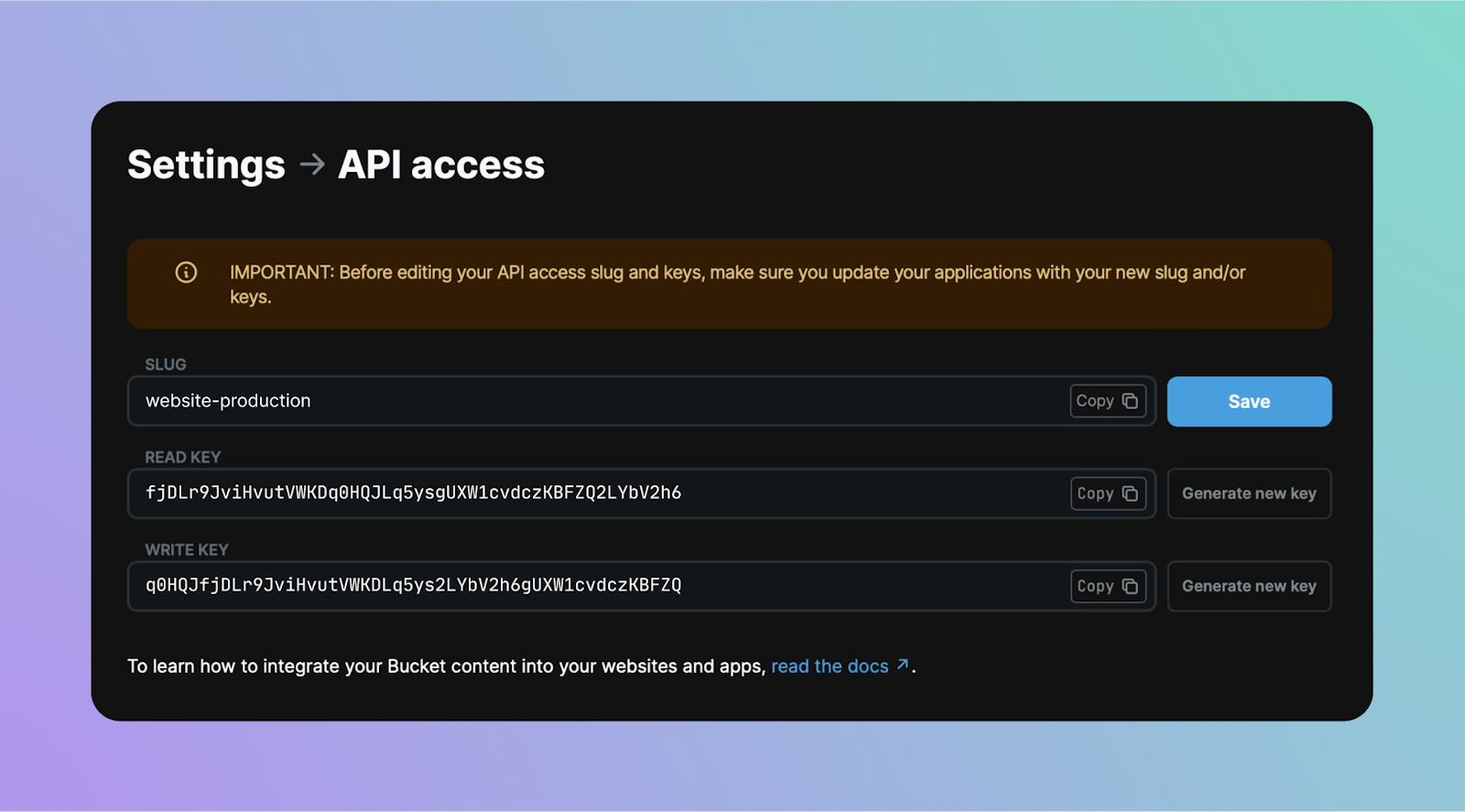
Get your API keys
Cosmic uses API keys to authenticate requests. For the following examples, you will need your:
- Bucket slug
- Bucket read key
- Bucket write key
You can get your API access keys by going to Bucket Settings > API Access in the Cosmic dashboard.
Use your API keys
Use the methods below to use your Cosmic API keys.
Before you can make requests to the Cosmic API, you will need to grab your Bucket slug and API keys from your dashboard. Find them in Bucket Settings » API Access.
// Import
import { createBucketClient } from '@cosmicjs/sdk';

// Authenticate
const cosmic = createBucketClient({
  bucketSlug: 'BUCKET_SLUG',
  readKey: 'BUCKET_READ_KEY',
  writeKey: 'BUCKET_WRITE_KEY',
});

// Fetch content
await cosmic.objects
  .find({
    type: 'posts',
  })
  .limit(1);

// Write content
await cosmic.objects.insertOne({
  title: 'Blog Post Title',
  type: 'posts',
  metadata: {
    content: 'Here is the blog post content...',
    seo_description: 'This is the blog post SEO description.',
    featured_post: true,
  },
});
Personal Access Tokens
For dashboard-level API access (managing agents, workflows, account settings, etc.), use a Personal Access Token (PAT) instead of a session JWT. PATs are ideal for scripts, CI/CD pipelines, CLI tools, and MCP servers.
Create a token at Account Settings > API Tokens. Tokens use the cos_ prefix and carry your full account permissions. Learn more in the API Tokens documentation.
Include your token in the Authorization header:
curl https://dapi.cosmicjs.com/v3/users/get \
  -H "Authorization: Bearer cos_YOUR_TOKEN"
PATs are the recommended authentication method for the Agent messages API. For example, to send a message to an agent:
curl -X POST https://dapi.cosmicjs.com/v3/ai/agents/AGENT_ID/messages \
  -H "Authorization: Bearer cos_YOUR_TOKEN" \
  -H "Content-Type: application/json" \
  -d '{"message": "Hello, agent!"}'
Agent key
An agent key (agk_ prefix) is a short-lived bearer token issued by POST /v3/agents/sign-up. It is the auth mechanism used when an AI agent provisions a Cosmic project on behalf of a human, before the human has a Cosmic account of their own.
Agent keys have a very narrow scope: they authenticate only the agent-flow endpoints.
| Endpoint | Auth |
|---|---|
POST /v3/agents/verify | Authorization: Bearer agk_... |
GET /v3/agents/status | Authorization: Bearer agk_... |
For everything else (objects, media, AI generation), use the bucket read key and write key that are returned in the same sign-up response. Those work with the standard bucket API, the JavaScript SDK, and every other Cosmic interface:
# Use the agent_key to call the agent-flow endpoints
curl https://dapi.cosmicjs.com/v3/agents/status \
  -H "Authorization: Bearer agk_..."

# Use the bucket write_key (returned by /v3/agents/sign-up) for content
curl -X POST https://api.cosmicjs.com/v3/buckets/${BUCKET_SLUG}/objects \
  -H "Authorization: Bearer ${BUCKET_WRITE_KEY}" \
  -H "Content-Type: application/json" \
  -d '{"title":"First post","type":"posts"}'
The bucket starts in restricted "unclaimed" mode until the human verifies the OTP from the claim email. AI generation is blocked while unclaimed; create/read/update of up to 50 objects and 5 MB of media still works. See the full Agent signup reference for the lifecycle, limits, and error codes.