Cosmic Pages
Cosmic Pages are dedicated web pages that host your Cosmic content. Convert any Object in your Cosmic Project into a page with a single click, no coding required. With Cosmic Pages you can enable frictionless sharing of content with your team or anyone outside your team.
How it works
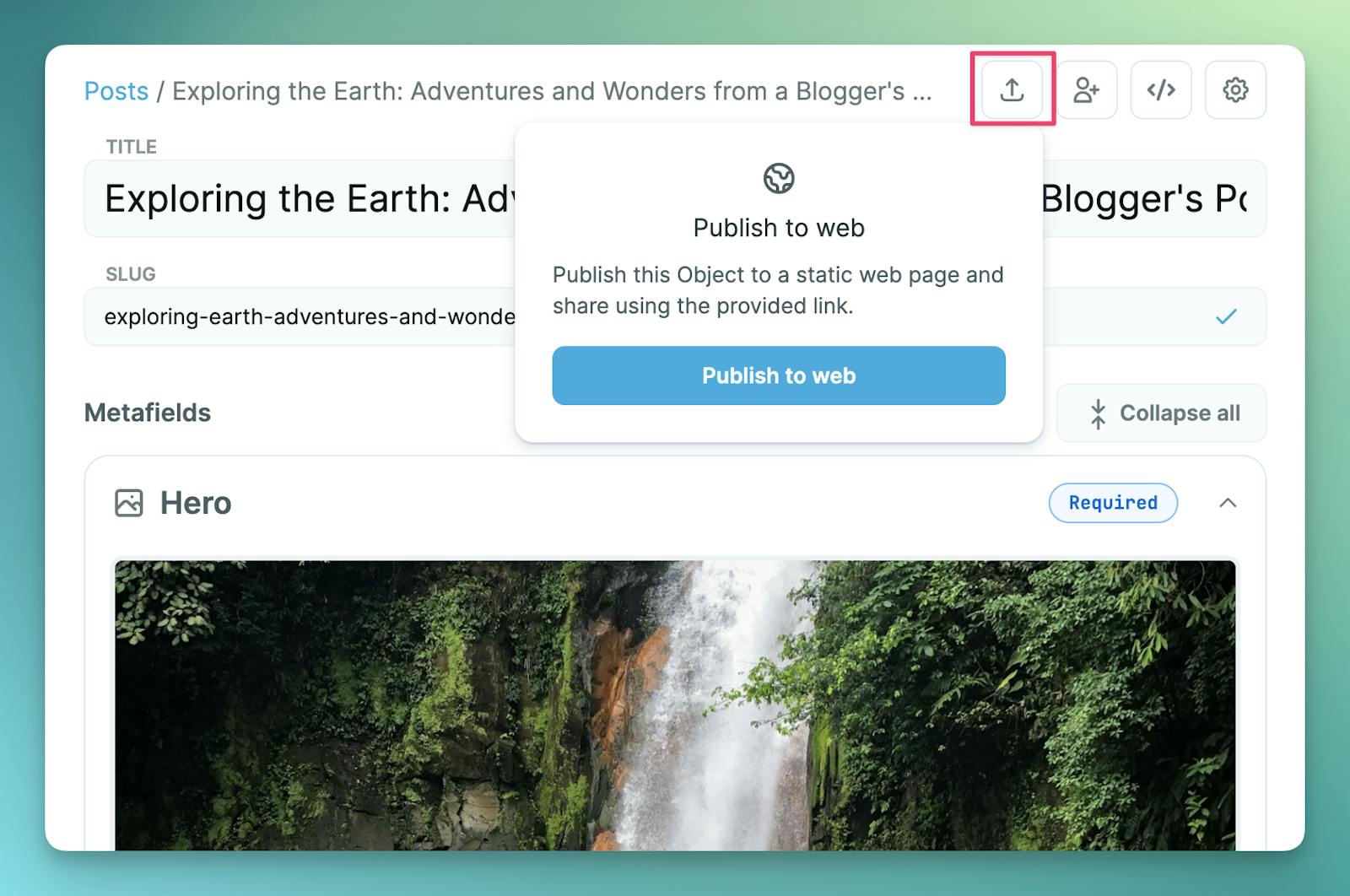
Go to any existing Object in your Project. Then click the share icon at the top of the page. Click "Publish to web".
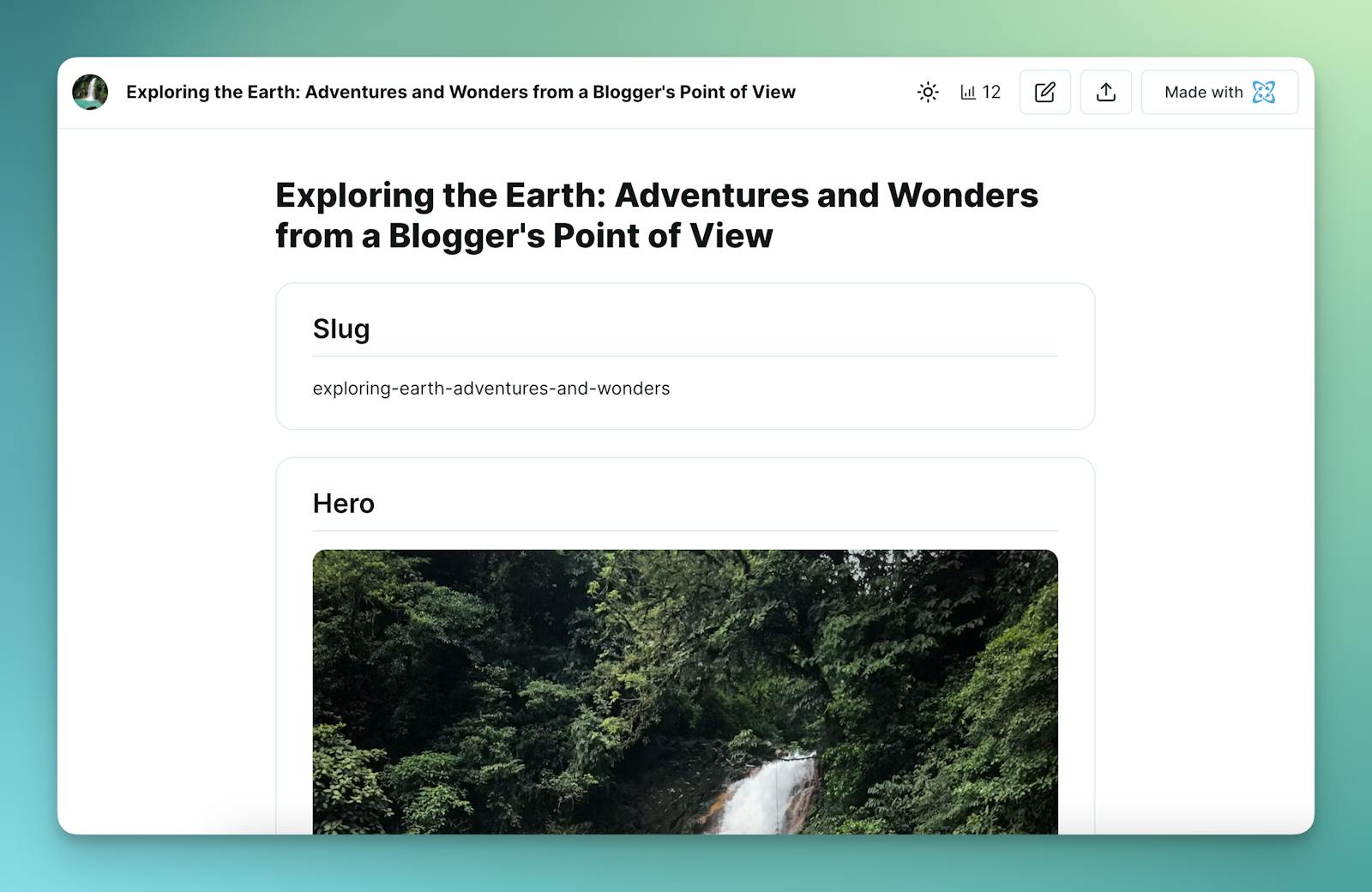
Your Object will be available on a dedicated page with its own unique public URL.
Benefits
Cosmic Pages enable content review without login or custom coding. Share content with your team and the world to get feedback faster.
Get started
Log in to your Cosmic account and start using Cosmic Pages today.
FAQ
How much does Cosmic cost?
Project plans are Free ($0), Builder ($99/mo), Team ($299/mo), Business ($499/mo), Enterprise (custom pricing). Yearly billing saves 10%. Workspace plans are Small Workspace ($999/mo) and Large Workspace ($2,999/mo), and they start with a 30-day free trial. Allowances, add-on rates, and the rest of the pricing FAQ are plain text at https://www.cosmicjs.com/pricing.md.
Are API keys required, and is content private?
Each Bucket has a read key and a write key in Bucket Settings > API Access. GET requests use the read key. POST, PATCH, and DELETE use the write key as Authorization: Bearer. Do not put the write key in a browser bundle, a mobile app, or a NEXT_PUBLIC_ variable. SAML single sign-on is on Large Workspace and Enterprise. The audit log is append-only. Text versions: https://www.cosmicjs.com/security.md and https://www.cosmicjs.com/docs/dashboard/audit-log.md.
Can an agent create a Cosmic project without an existing account?
Yes. POST https://dapi.cosmicjs.com/v3/agents/sign-up provisions a free-tier project and bucket tied to a human email, with no existing Cosmic account. The human claims it with the emailed one-time code. The playbook is https://www.cosmicjs.com/docs/ai-onboarding.md.