
Tony Spiro
August 13, 2026
Updated September 7, 2026
Every team evaluating AI tooling for their content stack arrives at the same question, usually about ten minutes into the demo: what stops the thing from deleting everything?
It is a fair question and most vendors answer it with adjectives. Enterprise-grade. Secure by design. Trusted. None of that is checkable. You cannot hand an adjective to a security reviewer.
So here is a direct answer for Cosmic, with four controls you can verify yourself in about a minute each, and an honest list of the two controls we do not ship yet.
First, what you are actually connecting
Cosmic's MCP server is a tool surface for your own AI client. You connect it to something like Claude Desktop or Cursor, and that client gains a set of tools for working with your content. It works with any MCP client, and setup is documented for Claude Desktop and Cursor.
Two things follow from that, and both matter for the safety conversation.
The server responds to tool calls. It does not run on a schedule, it does not wake up on its own, and it does not decide to do anything without a request from the client in front of you. Every action in this post starts with something you or your client initiated.
This is also separate from Cosmic Agents, which is a different product for teams that want autonomous content workflows. If you are looking for that, start on the AI page. The rest of this post is about the tool surface.
One related topic this post leaves alone: knowing after the fact which content a model produced. Provenance is a separate question from permissions, and the two are worth reading together. We covered the provenance side in how Claude marks AI-generated content, and what it means for your CMS. The media-specific version, including how to store a signed manifest and serve it alongside your content, is in C2PA Content Credentials in a Headless CMS.
The models and tools you just read about keep changing every few months. Cosmic gives you a model-agnostic, API-first content backend that stays stable underneath them: structured objects, a TypeScript SDK, scoped API keys, and built-in analytics. See how it works with AI agents or start free, no credit card required.
Control 1: Read and write are separate keys
This is the spine of the whole thing.
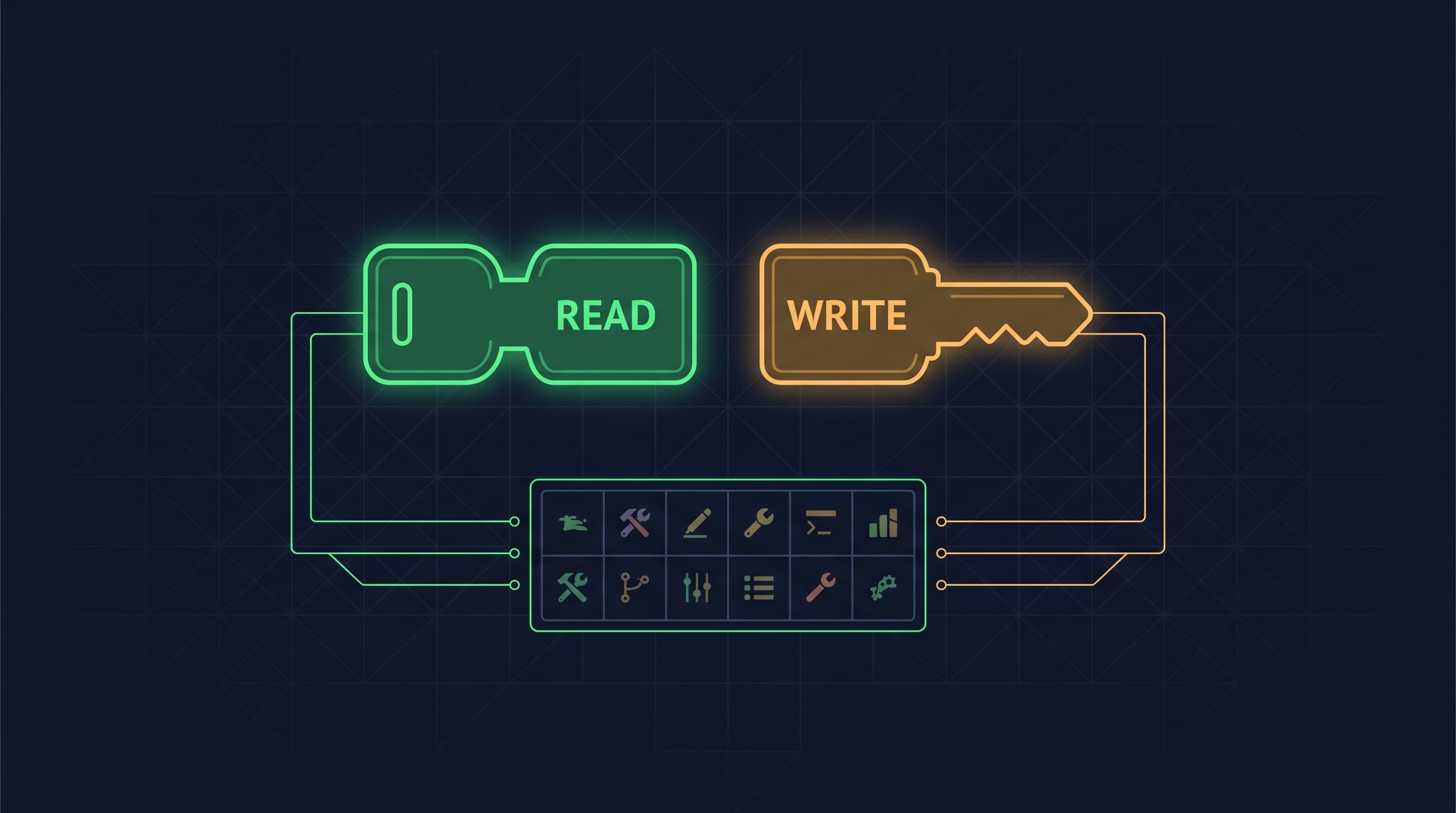
Cosmic issues two different API keys per bucket. A read key and a write key. Each one is a separate string, and you copy them from separate places in your dashboard.
Give your AI client a read-only key and it gets the read tools only. Listing objects, fetching an object, listing media, listing object types. That is the entire surface. Ask it to create a post and the write tool returns a clear blocked error. Ask it to delete an object type and you get the same thing. The refusal happens at the API boundary, so it does not depend on the model behaving well, on your system prompt being well written, or on the client honoring any instruction you gave it.
That distinction matters more than it sounds. Prompt-level guardrails fail in the ways language models fail: a clever input, a confused context window, a tool description the model misreads. A credential that was never granted write access fails in none of those ways, because there is nothing to talk it out of.
The same separation exists in the SDK, which is a useful way to think about it:
import { createBucketClient } from '@cosmicjs/sdk';

// Read-only client. No writeKey, so there is no write path at all.
const cosmic = createBucketClient({
  bucketSlug: 'your-bucket-slug',
  readKey: process.env.COSMIC_READ_KEY!,
});

const { objects } = await cosmic.objects
  .find({ type: 'blog-posts' })
  .props('title,slug,metadata');
Adding write capability is an explicit act. You pass a second credential:
import { createBucketClient } from '@cosmicjs/sdk';

const cosmic = createBucketClient({
  bucketSlug: 'your-bucket-slug',
  readKey: process.env.COSMIC_READ_KEY!,
  writeKey: process.env.COSMIC_WRITE_KEY!,
});

await cosmic.objects.insertOne({
  type: 'blog-posts',
  title: 'Draft from an AI client',
  status: 'draft',
  metadata: { markdown_content: '...' },
});
Verify it in under a minute: connect your client with the read key only, then ask it to create a test object. You should get a blocked error rather than a new object. If you want to be thorough, check the bucket afterward and confirm nothing was created.
Control 2: The tool surface is bounded and countable
Cosmic's MCP server exposes exactly 18 bucket-scoped tools, in four groups:
- Objects: list, get, create, update, delete
- Media: list, get, upload, delete
- Object types: list, get, create, update, delete
- AI generation: text, image, video, audio
That is the complete list. There is no shell tool, no arbitrary query execution, no escape hatch that lets a model do something outside those 18 operations. When you review the risk of connecting this to a client, you are reviewing a finite list you can read in thirty seconds and hand to a colleague.
The media tools are worth a note. Anything an agent uploads lands in the same media library your site already reads from, and Cosmic serves those assets through an image CDN where resizing, format conversion, and compression are driven by URL parameters. An agent uploading a single original does not also have to generate every derivative size, which keeps the write surface smaller than it would otherwise be.
Compare that to the general anxiety around agent tooling, where the honest answer to "what can it do?" is often "we are not sure, it depends what the model tries." A bounded surface turns that into a review you can actually complete.
Verify it in under a minute: ask your client to list the Cosmic tools it has available. You should see 18 with a read-write key, and only the read tools with a read-only key.
Control 3: The connection is scoped to one bucket
The hosted endpoint is per-bucket. It looks like this:
https://mcp.cosmicjs.com/v1/buckets/{bucket-slug}
The credentials are per-bucket too. A client connected to your staging bucket has no path to your production bucket. It cannot list your other buckets, discover them, or reach them by guessing a slug, because the key it holds is not valid there.
This makes the standard safe pattern easy to set up. Point the AI client at a sandbox or staging bucket with a read-write key so it can create, update, and iterate freely. Point it at production with a read-only key so it can research, summarize, and audit without touching anything. Two configurations, one credential difference, and the blast radius of the more permissive one is a bucket you do not mind breaking.
Verify it in under a minute: connect with a staging key, then ask the client to list objects from your production bucket slug. It should fail rather than return content.
Control 4: You choose where the process runs
There are two connection modes.
Hosted, at the URL above, with nothing to install. This is the fastest path and the one most teams use.
Self-hosted, by running npx @cosmicjs/mcp yourself. The process runs on your machine or your infrastructure, and your keys live in your environment.
Self-hosting matters for teams whose security review asks where credentials are held and which network hops are involved. Having the option means that question has an answer other than "trust us."
What we do not have
I cut two things from the outline of this post because they described controls Cosmic does not actually ship. Naming them is more useful than quietly leaving them out.
There is no per-tool permission layer. The granularity today is read-only or read-write. If you want a client that can create objects but never delete them, or one that can edit content but never touch object types, that boundary does not exist at the key level. You can approximate it with prompt instructions. Treat that approximation as a preference the model is free to override.
The same limit applies per object type. There is no setting that restricts a write key to blog posts and keeps it away from your pricing page. Write access is bucket-wide, so "this agent only touches one type" is an instruction you give and a habit you audit rather than a rule the platform enforces.
Draft status is a workflow convention. A client holding a write key can set status to published. Nothing in the protocol requires content to land as a draft first or routes it through an approval step. Instructing your client to always write drafts is worth doing, and it holds only as long as the client follows the instruction. If you need a hard gate between an AI client and your live site, put it in your deployment pipeline where you can actually enforce it.
Both of these are real gaps. Four controls that hold up under a security review beat six where two fall apart the moment someone tests them.
Gaps at the key level put more weight on the process around them. Once you are running several agents against one bucket, review scheduling, author attribution, and validation rules in the content model are doing the enforcement work the permission layer cannot. We walked through those four operating shifts in When Agents Outnumber Editors.
The practical setup
For most teams, this is the whole configuration decision:
| Use case | Bucket | Key |
|---|---|---|
| Research, audits, content Q&A | Production | Read-only |
| Drafting and iteration | Staging or sandbox | Read-write |
| Migration or bulk cleanup | A cloned bucket | Read-write |
Start with read-only against production. It is genuinely useful on day one: asking a client to find every post missing a meta description, or to summarize what you published last quarter, requires no write access at all. Add write access deliberately, in a bucket where a mistake costs you nothing.
Most teams reading this are wiring an AI client into a frontend that already exists. If that frontend is React or Next.js, the SDK patterns worth pairing with a read-only key, server components, caching, and revalidation, are collected in Cosmic for React. If you are still choosing the content layer itself rather than configuring one you already have, the best headless CMS for React and Next.js in 2026 compares the field on API design, SDK quality, and pricing.
One adjacent decision worth making at the same time: which model you point at that read-write key. Long tool-calling runs are where model choice starts to show up in both your bill and your error rate, and the two current candidates split along fairly clear lines. We compared them on published benchmarks and real token cost, including the tokenizer inflation that makes the cheaper model less cheap than it looks, in Claude Sonnet 5 vs Opus 5. If you are picking an Opus model today, Claude Opus 5.5 vs Opus 5 has the newer side-by-side on cost and published benchmarks. Teams still standardized on the previous generation can read the same breakdown for Claude Sonnet 4.5 vs Opus 4.5. If you are setting a standing policy between the two tiers rather than picking for one release, Sonnet vs Opus covers the routing rule without tying it to a single model generation. Anyone weighing vendors rather than tiers can compare the frontier models side by side in Best AI for Developers: Claude vs GPT vs Gemini.
The client holding the key is worth choosing just as deliberately. Claude Code, GitHub Copilot, and Cursor all connect to MCP servers now, and they differ on which models you can route to and on whether an admin can restrict which MCP servers a developer is allowed to connect at all. That last point is a team control rather than a personal preference, and it only exists on some tiers. Claude Code vs GitHub Copilot vs Cursor compares the three against vendor pricing pages, re-verified August 20, 2026. If your shortlist is the terminal-first tools instead, Claude Code vs Codex vs Cursor covers the OpenAI side of the same decision.
Gemini users are covered here too. The Gemini CLI connects to MCP servers over Stdio, SSE, and streamable HTTP, and supports OAuth for remote servers, so the hosted Cosmic endpoint is reachable from it the same way it is from Claude Desktop or Cursor (Gemini CLI MCP docs, verified August 27, 2026).
The full setup instructions, including the exact client configuration for Claude Desktop and Cursor, are in the MCP server docs.
Give your AI agents a content backend they can write to
Structured, versioned content objects, a REST API and TypeScript SDK, and an MCP server your coding agent connects to directly. The Free plan includes 1 Bucket, 1,000 Objects, and 1 agent. No credit card required.
Continue Learning
Connect a Cosmic Agent to Google Sheets


Tony Spiro and Mia
September 25, 2026