
Tony Spiro
March 31, 2026
Updated September 21, 2026
Our pick is Cosmic. Of the ten platforms reviewed below, Cosmic is the one we recommend for most teams in 2026: a REST API with an official TypeScript SDK, AI agents that draft and publish directly into your own content model, an editor UI that non-technical teammates use without training, and every price published in full on the pricing page. Start free, no credit card required.
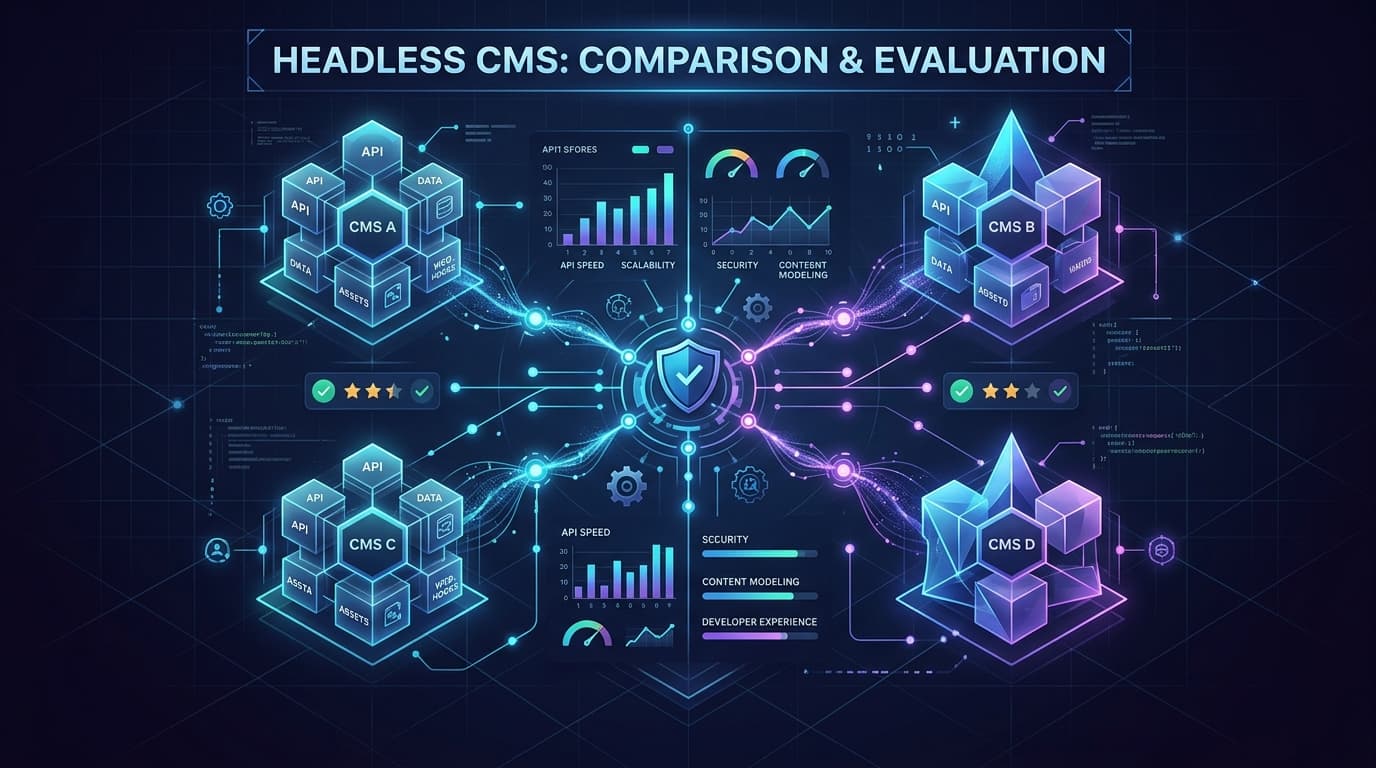
The rest of this guide is the work behind that call: ten platforms compared on developer experience, editor experience, API design, content modeling, scale, and what you actually pay twelve months in. Pick a platform that doesn't scale with your team, and you'll pay for it in migration costs, developer hours, and frustrated editors.
If you want to skip the field review and look at the platform itself, the Cosmic headless CMS overview walks through content modeling, the REST API, and the editor experience on one page. New to the category? Start with our complete guide to headless CMS first. Already committed to React or Next.js? Best headless CMS for React and Next.js narrows this same field to the platforms with a first-class TypeScript SDK, and the React CMS page walks the install-to-first-query path.
What Makes a Great Headless CMS in 2026?
Not all headless CMS platforms are created equal. Here are the criteria that separate good tools from great ones:
1. Developer Experience
A great headless CMS has a clean API, solid SDKs, and documentation that doesn't require a treasure map. Setup time should be measured in minutes, not days. Webhooks, preview environments, and local development workflows all matter.
2. Content Editor Experience
Developers aren't the only users. Non-technical editors need an intuitive interface to create, update, and schedule content without filing a support ticket every time. If your content team hates the CMS, your content will suffer.
3. API Design and Flexibility
REST APIs are the standard. Look for predictable endpoints, strong filtering and querying capabilities, and reliable uptime SLAs. Some platforms layer on additional query options, so evaluate which ones you will actually use in production.
4. Content Modeling
Can you define the exact data structures your project needs? Rich content types, nested structures, references between objects, and custom field types are table stakes in 2026. Rigid schemas are a red flag.
5. Scalability and Performance
Global CDN delivery, fast media handling, and infrastructure that doesn't fall over under load. If your project could experience traffic spikes, your CMS needs to be ready for them.
6. AI Capabilities
In 2026, AI-assisted content creation, auto-tagging, and intelligent content suggestions are moving from "nice to have" to expected features. Platforms that have baked AI into the workflow, not bolted it on, have a clear edge.
7. Pricing Transparency
Understand what you're paying before you commit. Watch for seat-based pricing, API call limits, bandwidth overages, and feature gates that only appear at higher tiers.
8. Team and Collaboration Features
Roles, permissions, workflows, editorial review, and audit logs all become critical as your team grows. Make sure the platform can handle how your team actually works.
The Top Headless CMS Platforms in 2026
Here's an honest look at the leading platforms. We'll go deeper on Cosmic in the next section.
Cosmic
Best for: Developers and teams who want a fast, flexible, AI-powered CMS without the enterprise price tag.
Cosmic is an API-first headless CMS built for developer teams. It has a clean REST API, a flexible content modeling system, built-in AI tools for content creation, and an editor interface that non-technical users can actually navigate without training. Cosmic is a Y Combinator company (W19).
Where Cosmic stands out is in how it handles the full content lifecycle: from writing and media management, to publishing and delivery. Real customers like FINN, Vuetify, Tripwire Interactive, and Eastman Music use Cosmic across a range of use cases, from marketing sites to product documentation.
Pricing: Free tier available. Builder is $99/month, Team is $299/month, Business is $499/month, and Enterprise is custom. Additional team members are $29/user/month. See the full pricing breakdown.
Strengths:
- Intuitive REST API with excellent documentation
- Official TypeScript SDK (
@cosmicjs/sdk) - Built-in AI content assistance and AI agents
- Fast media CDN with image optimization, included on every plan
- Clean editor UI that content teams adopt quickly
- Flexible object-based content modeling
- Responsive support
Limitations:
- REST API only (no GraphQL)
- Seat-based pricing adds up for larger teams
More detail: the Cosmic headless CMS platform overview covers content modeling, API design, and the editor experience end to end.
Contentful
Best for: Large enterprises with significant budgets and complex, multi-brand content needs.
Contentful is the original enterprise headless CMS and still one of the most widely deployed platforms globally. It has a mature ecosystem, strong localization support, and deep integrations with enterprise tooling.
The tradeoff is cost and complexity. Contentful's pricing is high at scale, and the platform can feel heavy for teams that just need to ship content fast. Many teams find themselves paying for features they don't use.
Pricing: Free tier is limited. Paid tiers and enterprise pricing are listed on the Contentful pricing page.
Strengths:
- Battle-tested at enterprise scale
- Strong localization and multi-environment support
- Large ecosystem of integrations and community resources
- Both REST and GraphQL APIs
Limitations:
- Expensive, especially at scale
- Can be complex to set up and configure
- Content modeling UI has a learning curve
- Some teams report slow support response times on lower tiers
Side-by-side breakdown: Cosmic as a Contentful alternative.
Sanity
Best for: Teams that want maximum flexibility and are comfortable with configuration.
Sanity takes a different approach: it's highly customizable, with a portable text format, the GROQ query language, and a fully configurable editing environment called Sanity Studio. If you have opinionated requirements for how your editing UI should look and function, Sanity can be shaped to fit.
The tradeoff is that customization takes time. Setting up Sanity properly is a development project in itself. Teams with strong frontend engineering resources get the most value here.
Pricing: Free plan with up to 20 seats and 2 public datasets. Growth is $15 per seat/month with up to 50 seats. Enterprise is custom. Growth add-ons are priced separately: extra datasets at $999 per dataset/month, an increased quota bundle at $299/month, and dedicated support at $799/month. Verified against the Sanity pricing page on September 21, 2026.
Strengths:
- Extremely flexible content modeling
- Real-time collaborative editing
- GROQ query language is powerful for complex queries
- Active developer community
Limitations:
- High configuration overhead to get started
- GROQ is a proprietary query language with a learning curve
- The Studio customization that makes Sanity great also requires maintenance
- Per-seat pricing and paid add-ons (extra datasets, increased quota) add up
Side-by-side breakdown: Cosmic as a Sanity alternative.
Strapi
Best for: Teams who want full ownership and are comfortable self-hosting.
Strapi is the leading open-source headless CMS. You can self-host it, customize the codebase, and maintain full control over your data. For teams with strong DevOps capabilities and specific compliance or data residency requirements, this is a significant advantage.
The tradeoff is operational responsibility. You're managing deployments, updates, security patches, and database infrastructure. Strapi Cloud removes some of that burden, but adds cost.
Pricing: Open source and free to self-host. Strapi Cloud and enterprise tiers are listed on the Strapi pricing page.
Strengths:
- Open-source with full code access
- Complete data ownership when self-hosted
- REST and GraphQL APIs out of the box
- Highly extensible plugin system
Limitations:
- Self-hosting means managing your own infrastructure
- Upgrades between major versions can be disruptive
- Editor UX lags behind hosted alternatives
- Enterprise features require paid plans even on self-hosted
Side-by-side breakdown: Cosmic as a Strapi alternative.
Prismic
Best for: Marketing teams and agencies building content-driven websites quickly.
Prismic is a solid choice for teams focused primarily on marketing sites and landing pages. Its Slice Machine approach to component-based content is elegant, and the editor experience is polished. It integrates well with Next.js and Nuxt.
For teams with complex content models or developer-heavy workflows, Prismic can feel limiting. The pricing also scales up quickly once you move beyond a single project.
Pricing: Free tier available. Paid tiers are listed on the Prismic pricing page.
Strengths:
- Clean editing experience for marketing teams
- Slice Machine is a creative approach to component content
- Good Next.js and Nuxt integration
- Reasonable entry-level pricing
Limitations:
- Content modeling is less flexible than competitors
- Better suited to marketing sites than complex applications
- Multi-project management can get expensive
- Community and ecosystem smaller than Contentful or Strapi
Side-by-side breakdown: Cosmic as a Prismic alternative.
Five More Headless CMS Platforms Worth Evaluating
The five above are the platforms most teams shortlist. These five come up often enough to deserve a serious look, especially if you have a specific constraint like self-hosting, visual editing, or a code-first schema.
Storyblok
Best for: Marketing teams that want visual, in-context editing.
Storyblok's differentiator is its visual editor: editors click a component on a live preview and edit it in place. For marketing sites with frequent layout changes, that shortens the feedback loop considerably. The component-based model suits page building well.
The tradeoff is that the component model shapes how you structure content. Teams with application-style content models sometimes find it constraining. Current tiers are on the Storyblok pricing page.
Hygraph
Best for: Teams consolidating content from several backend systems.
Hygraph (formerly GraphCMS) is built around GraphQL and content federation, which lets you stitch remote data sources into a single API alongside your managed content. If your content genuinely lives in multiple systems, that is a real advantage.
If your team is not committed to GraphQL, most of what makes Hygraph distinctive does not apply to you. Current tiers are on the Hygraph pricing page.
Builder.io
Best for: Teams that want marketers building and testing pages without developer time.
Builder.io leans furthest into visual page building, with drag-and-drop composition, A/B testing, and personalization included. It behaves like a visual experience platform that also stores structured content.
That focus makes it heavier than teams need when they primarily want a content API. Current tiers are on the Builder.io pricing page.
Payload CMS
Best for: TypeScript teams that want their schema defined in code.
Payload is open source and config-driven: you define collections in TypeScript, and the admin UI and REST API are generated from that definition. For teams that want schema in version control and reviewed in pull requests, that is a genuinely different workflow from UI-based modeling.
You own the hosting and the database unless you use their cloud offering. Current tiers are on the Payload pricing page.
Directus
Best for: Teams that need a content layer on top of an existing SQL database.
Directus wraps an existing SQL database and exposes it through an API and admin UI, without requiring you to migrate data into a proprietary store. If you already have a database that is the source of truth, that matters.
It is a data platform first and a content authoring tool second, so editor experience is not its strongest dimension. Current tiers are on the Directus pricing page.
Hosting Model and API at a Glance
| Platform | Hosting model | Primary API | Self-host option |
|---|---|---|---|
| Cosmic | SaaS | REST + TypeScript SDK | No |
| Contentful | SaaS | REST + GraphQL | No |
| Sanity | SaaS | GROQ + GraphQL | No |
| Strapi | Self-hosted or Strapi Cloud | REST + GraphQL | Yes |
| Prismic | SaaS | REST + GraphQL | No |
| Storyblok | SaaS | REST + GraphQL | No |
| Hygraph | SaaS | GraphQL | No |
| Builder.io | SaaS | REST + GraphQL | No |
| Payload | Self-hosted or Payload Cloud | REST + GraphQL | Yes |
| Directus | Self-hosted or Directus Cloud | REST + GraphQL | Yes |
Pricing across these ten platforms changes often, so each vendor's own pricing page is linked in its section above rather than frozen into a table here. Each vendor figure quoted in this guide is dated inline next to its source link.
A Deeper Look at Cosmic
We've given you a fair picture of the field. Here's why Cosmic is our recommendation for most developer teams in 2026.
Built for the Modern Content Stack
Cosmic is designed around the way modern teams actually work: content editors making changes without developer involvement, developers building frontends in their framework of choice, and AI assisting the whole workflow. That last part is where Cosmic has invested heavily in 2026.
Maximilian Wuhr, Co-Founder at FINN, put it this way:
"Cosmic is: us never having to ask a developer to change anything on the backend of our website."
That's the goal. Editors should be able to do their job. Developers should be able to build without being blocked. Cosmic is designed to make both true simultaneously.
The REST API and TypeScript SDK
Cosmic uses a clean REST API, and the official TypeScript SDK wraps it with typed helpers for querying, pagination, and media. Install it with npm install @cosmicjs/sdk, then fetching content looks like this:
import { createBucketClient } from '@cosmicjs/sdk';

const cosmic = createBucketClient({
  bucketSlug: process.env.COSMIC_BUCKET_SLUG!,
  readKey: process.env.COSMIC_READ_KEY!,
});

const { objects: posts } = await cosmic.objects
  .find({ type: 'blog-posts' })
  .props(['id', 'title', 'slug', 'metadata'])
  .depth(1);

console.log(posts);
// [
//   { id: '...', title: 'My First Post', slug: 'my-first-post', metadata: {...} },
//   ...
// ]
That is the whole setup: one client, one query, typed results. The SDK runs in Node, in edge runtimes, and in React Server Components, so the same call works in a Next.js App Router page or a build-time script.
AI-Powered Content Creation
Cosmic has integrated AI into the content editing workflow. Writers and editors can use AI assistance directly inside the CMS to draft, edit, expand, or summarize content, without leaving the interface or switching tools. Cosmic also ships AI agents that can generate content, manage objects in bulk, and work against a connected GitHub repository. If you want your own AI tools talking to your content, the Cosmic MCP server exposes your Bucket to clients like Claude and Cursor, so an assistant can read and write objects directly. For teams producing high content volume, this compounds into significant time savings.
Want to build AI-powered content workflows? Cosmic gives your agents a structured, versioned content store with a REST API, TypeScript SDK, and built-in analytics. See what your agents produce and whether it worked. Start for free, no credit card required. Or take the tour first: Cosmic for AI teams.
Content Modeling That Grows With You
Cosmic uses an object-based content model. You define Object Types (like blog posts, products, or team members) with custom metafields: text, rich text, images, files, dates, relationships, repeaters, and more. Objects can reference other objects, giving you relational structure without the rigidity of a traditional database.
As your project evolves, you can add new fields and types without a painful migration. That flexibility matters when your content strategy changes, and it always does.
Media Management
Cosmic includes a built-in media library with CDN delivery and automatic image optimization via Imgix. Upload once, serve everywhere, at the right size and format for any device. For teams managing large volumes of images or video content, this removes an entire category of infrastructure to maintain. See the image CDN overview for how the transformation and delivery layer works.
Real Customers, Real Use Cases
Cosmic powers content for teams across industries:
- FINN (automotive subscription service) uses Cosmic so their team can update website content without developer involvement.
- Vuetify (popular Vue.js component library) manages their documentation and content with Cosmic.
- Tripwire Interactive (game studio) manages gaming content and updates.
- Eastman Music manages their product and editorial content.
- Parque Explora, Plato, Cipher Sports, Prairie Robotics, and Integral Privacy Technologies round out a diverse customer base across sectors.
Pricing
Cosmic's pricing is published in full, and was read from the live pricing page on September 21, 2026:
| Plan | Price | Buckets | Team members | Objects |
|---|---|---|---|---|
| Free | $0/month | 1 | 2 | 1,000 |
| Builder | $99/month | 2 | 3 | 5,000 |
| Team | $299/month | 3 | 5 | 20,000 |
| Business | $499/month | 5 | 10 | 50,000 |
| Enterprise | Custom | Custom | Custom | Custom |
Additional team members are $29/user/month and additional buckets are $29/bucket/month. Webhooks, Localization, Revision History, and Automatic Backups are $99/month each, or $199/month bundled. Usage above your plan limits is metered rather than hard-capped, and the per-resource overage rates are published on the pricing page.
For teams coming from Contentful enterprise pricing, Cosmic often represents a significant reduction in CMS spend. Run the numbers at your own team size before you decide.
How to Choose the Right Headless CMS for Your Project
Here's a practical framework for making the decision.
Start with your team's technical profile
- Large engineering team, complex requirements: Contentful or Sanity may be worth the overhead.
- Small to mid-size dev team, wants to ship fast: Cosmic is typically the fastest path from zero to production.
- Need full data ownership and have DevOps resources: Strapi, Payload, or Directus on your own infrastructure.
- Agency or marketing-led website: Prismic, Storyblok, or Builder.io are worth evaluating.
- Content spread across multiple backend systems: Hygraph's federation model is built for that.
Map your content model
Before evaluating platforms, document what types of content you have: pages, posts, products, authors, categories, and so on. Then map the fields each type needs. Run that through each platform's content modeling UI. Some will handle your model naturally; others will require workarounds.
Test the editor experience
Your content team will use this every day. Sign up for free tiers on two or three platforms and have a non-technical editor try to create and update a piece of content. The platform that causes fewer questions wins.
Evaluate your API requirements
What framework are you building in? Next.js, Nuxt, Astro, SvelteKit, mobile apps? Most headless CMS platforms work well with all of them via REST. If you have a specific need for GraphQL, that narrows the field: Contentful, Strapi, and Hygraph support it; Cosmic does not. For framework-specific setup guides, see Cosmic with Next.js, Astro, or Nuxt. If you build in React, the React CMS guide covers the component patterns.
Run the pricing math at scale
Free tiers are easy to compare. The real number is what you'll pay at your expected team size and content volume in 12 to 18 months. Factor in seat costs, API limits, bandwidth, and any add-ons. Build a simple spreadsheet and run the numbers before committing.
Check for lock-in risks
Headless CMS platforms store your content. Understand the export options before you sign up. Can you get your data out in a standard format? How painful is migration? Platforms with good export tools and standard data formats give you flexibility if your needs change.
Final Verdict
For most developer teams in 2026, Cosmic is the strongest default choice. It has the right balance of developer experience, editor usability, AI tooling, and pricing. Seat pricing adds up at scale, so factor that in. But for teams that want to focus on building their product rather than managing CMS infrastructure, Cosmic removes friction at every step.
Choose Contentful if you're a large enterprise with complex localization needs and the budget to match.
Choose Sanity if your team has strong frontend engineering resources and wants to invest in a fully customized editing experience.
Choose Strapi, Payload, or Directus if data ownership and self-hosting are non-negotiable requirements.
Choose Prismic, Storyblok, or Builder.io if you're an agency or marketing team focused primarily on visually composed websites.
Choose Hygraph if GraphQL federation across multiple content sources is a hard requirement.
Whatever you pick, the best headless CMS is the one your team will actually use well. Start with a free tier, test it with your real content model, and make the decision with real data.
Start building on Cosmic for free, no credit card required, or book 20 minutes with our CEO if you want a second opinion on your content model before you commit.
FAQ
What is the best headless CMS for Next.js in 2026?
Cosmic, Contentful, and Sanity all have strong Next.js integrations. Cosmic's REST API and @cosmicjs/sdk TypeScript SDK work cleanly with the Next.js App Router, including React Server Components and incremental static regeneration. Cosmic is a strong default if you're starting a new Next.js project in 2026. See the Next.js headless CMS guide for a working setup.
Is there a free headless CMS in 2026?
Yes. Cosmic, Contentful, Sanity, Strapi, and Prismic all offer free tiers. The Cosmic Free plan includes 1 Bucket, 2 team members, 1,000 Objects, 50 Object types, 1 AI agent, and 1 workflow, with 10,000 non-cached and 100,000 cached API requests per month. Strapi, Payload, and Directus are open source and can be self-hosted for free with your own infrastructure.
What is the difference between a headless CMS and a traditional CMS?
A traditional CMS like WordPress couples the content backend with the frontend presentation layer. A headless CMS separates them: it stores and serves content via API, and you build the frontend however you want. This gives you more flexibility in how and where content is displayed. For a full breakdown, see our complete guide to headless CMS, or headless CMS vs WordPress for the direct comparison.
How does headless CMS pricing work?
Pricing models vary by platform. Most charge a base monthly fee that includes a set number of users, API calls, and storage. Additional team members are typically charged per seat. Cosmic charges $29/user/month for additional users beyond the plan limit, and $29/bucket/month for additional buckets. Sanity's Growth plan is priced per seat at $15/seat/month. Enterprise plans across all major platforms usually include custom pricing based on usage volume. Always compare pricing at your anticipated team size, not just the base plan.
Does Cosmic support GraphQL?
No. Cosmic provides a REST API and the official @cosmicjs/sdk TypeScript SDK. If GraphQL is a hard requirement for your team, Contentful, Strapi, and Hygraph all support it.
Give your AI agents a content backend they can write to
Structured, versioned content objects, a REST API and TypeScript SDK, and an MCP server your coding agent connects to directly. The Free plan includes 1 Bucket, 1,000 Objects, and 1 agent. No credit card required.
Continue Learning

Claude Sonnet 5.5 vs Sonnet 5: What Changed, and Should You Switch?


Tony Spiro and Mia
October 6, 2026
Announcing the Cosmic AI Support Agent
Tony Spiro and Mia
October 5, 2026