Introducing Team Agents and the Cosmic Agent: AI That Joins Your Team From Day One

Tony Spiro
March 31, 2026
Your CMS just joined the conversation.
And it starts helping the moment you sign up.
Today we're launching two things that change how you interact with your CMS.
Team Agents are AI-powered team members that join your Slack workspace, WhatsApp groups, and Telegram channels. They have names, personas, goals, and the ability to read and write your CMS content, build and deploy applications, call external APIs, and delegate tasks to other agents.
The Cosmic Agent is a full AI assistant built into every Cosmic project's dashboard. It can manage your content, generate images and videos, read and write code, create Team Agents, build workflows, send notifications, research the web, and answer any question about your project or the platform. It's there from the moment your project is created, no setup required.
Together, they mean one thing: Cosmic is no longer a tool you log into. It's an AI-powered platform that meets you where you work.
Watch the Demo
See Team Agents in action:
Why We Built This
Every content team we talk to has the same problem: the gap between creating content and shipping it. You're in Slack discussing a blog post. Then you switch to your CMS to write it. Then you need a developer to build the page. Then back to Slack to coordinate. Then you check analytics a week later to see if it worked, in a completely different tool.
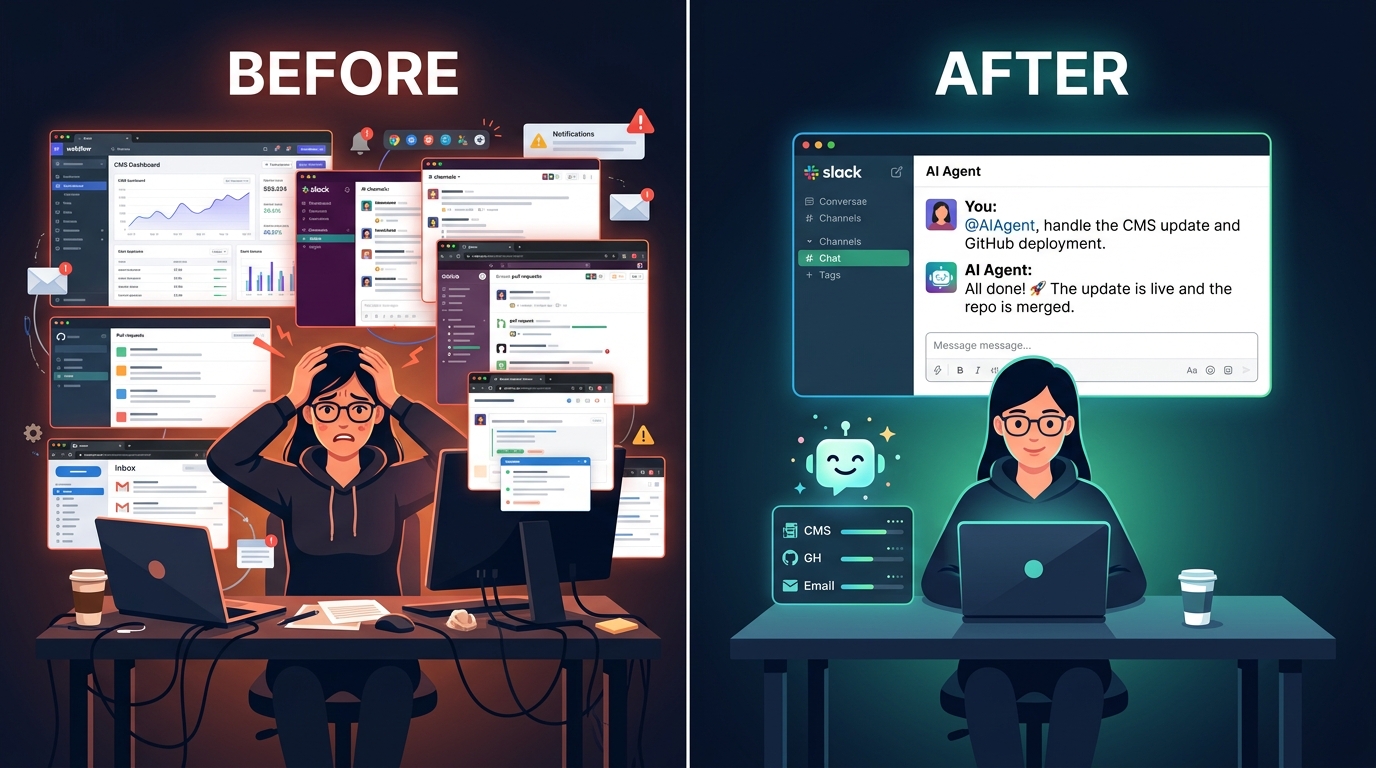
Team Agents collapse that entire loop. Ask your agent to write a blog post in Slack, and it researches the topic, creates the CMS object with proper metadata, generates a featured image, and publishes it. Need to know what's working? A weekly workflow pulls analytics from your real tools and tells you what to focus on next. Need a new page? A code agent reads your codebase and ships it.
Content, data, and code. All from the same platform.
How We Use It: A Real Example
We've been using Team Agents internally for weeks and they've become part of our daily workflow. Here's how it works:
- A weekly analytics workflow logs into Vercel, Google Search Console, and Ahrefs, pulls performance data, and generates an action items report.
- Our research agent searches the web and discovers content ideas.
- Using keyword research and analytics data, our content agent drafts content and messages us for review.
- Our engineering agent takes action items from the analytics workflow optimizing page performance, fixing technical SEO issues, and shipping code updates in a pull request.
The result is a self-improving engine that creates, publishes, measures, and optimizes content automatically. Automated code updates deliver proper technical fixes and performance improvements, ensuring a strong foundation. The loop runs itself, getting better with every cycle.
The Cosmic Agent: Your Built-In AI Team Member
Every new Cosmic project now comes with a Cosmic Agent in the dashboard chat widget. It's there the moment your project is created, no setup required.
The Cosmic Agent isn't just a help bot. It's a full AI assistant with the same power as a Team Agent:
Content Management:
- Create, edit, delete objects and content types
- Search and browse all your content
- Manage metadata and relationships
- Publish or unpublish content
Media & Creative:
- Generate AI images from text descriptions
- Generate AI videos and extend them
- Upload media from URLs
Code & Deployments:
- Browse and read your repository files
- Create branches, commit code, and open PRs
- Merge pull requests and trigger redeployments
- Check build logs and diagnose errors
- Build and deploy entirely new apps
Agents & Automation:
- Create Team Agents for Slack, WhatsApp, or Telegram
- Set up scheduled agents on cron
- Build multi-step workflows
Notifications:
- Send emails to you, your team, or Cosmic support
- Post messages to Slack, Telegram, or WhatsApp
Research:
- Fetch and analyze web pages for content ideas
It does NOT count against your agent limits. It's a platform feature, like having a team member who never sleeps.
What Team Agents Can Do
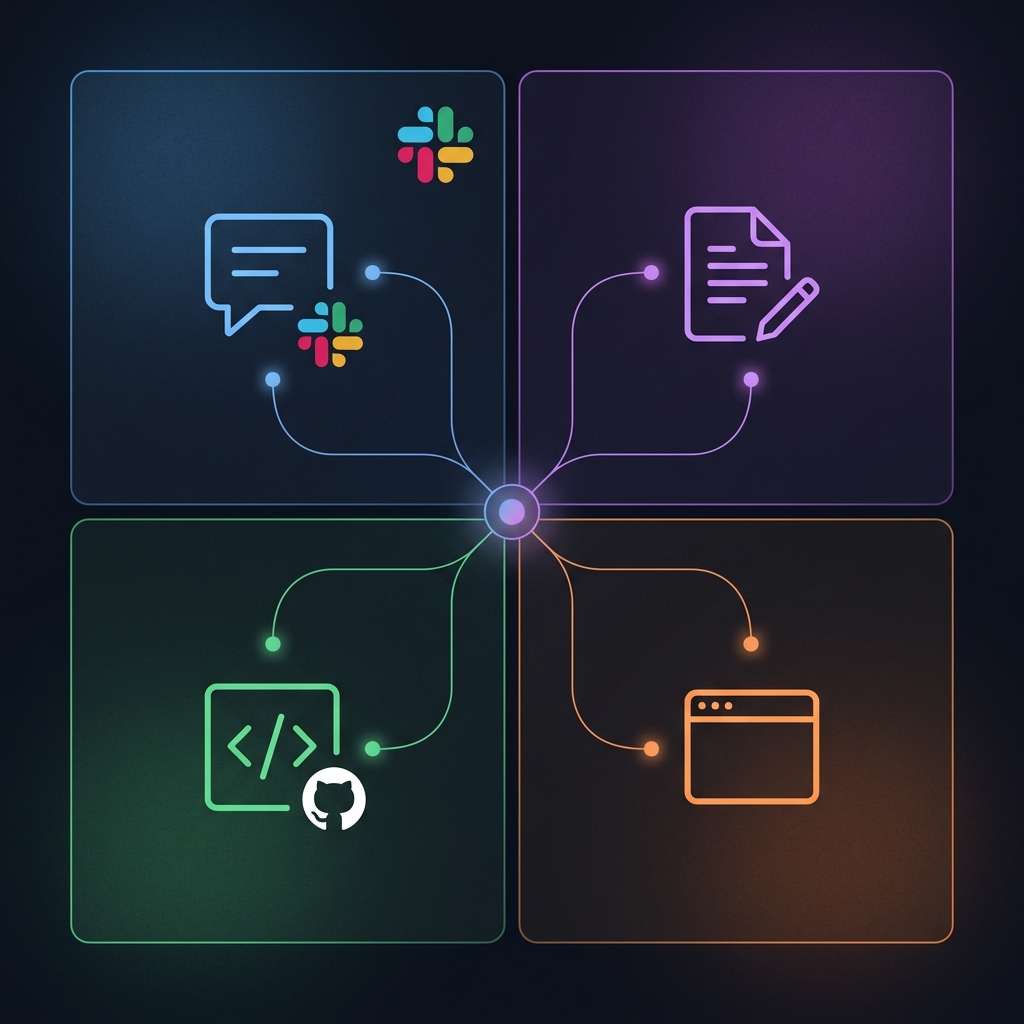
Talk to your team naturally. Define a persona with a name, role, and personality. Your agent carries on real conversations, not just command-response interactions. It remembers context, asks clarifying questions, and adapts its tone to the situation.
Create and manage CMS content. Blog posts, landing pages, product descriptions, email templates. Your agent understands your content schema and creates properly structured objects that match your existing types.
Build and deploy applications. Connected to GitHub, your Team Agent can read your codebase, create feature branches, commit changes, open pull requests, and deploy to production. Need a new landing page? Ask in Slack.
Pull analytics and generate reports. Computer Use agents browse your real analytics dashboards (Vercel, Google Search Console, Ahrefs, or any web tool) and extract data. Content agents synthesize it into actionable reports. The insights feed back into your content strategy.
Call external APIs. Connect to Resend for email, Stripe for payments, Shopify for commerce, or any REST endpoint. Your agent can send branded emails, check order status, or pull data from any service you use. Store your secrets and API access keys securely.
Delegate to other agents. Team Agents orchestrate. They can hand off specialized tasks to Content Agents, Code Agents, or Computer Use Agents and report back with the results.
Run on a schedule. Set a heartbeat so your agent proactively checks in. Daily standup summaries. Weekly content audits. Monthly performance reports. All delivered in Slack without anyone asking.
Track goals. Set measurable objectives like "increase signups by 10%" or "publish 20 blog posts this month" and your agent works toward them, reporting progress along the way.
How It All Connects
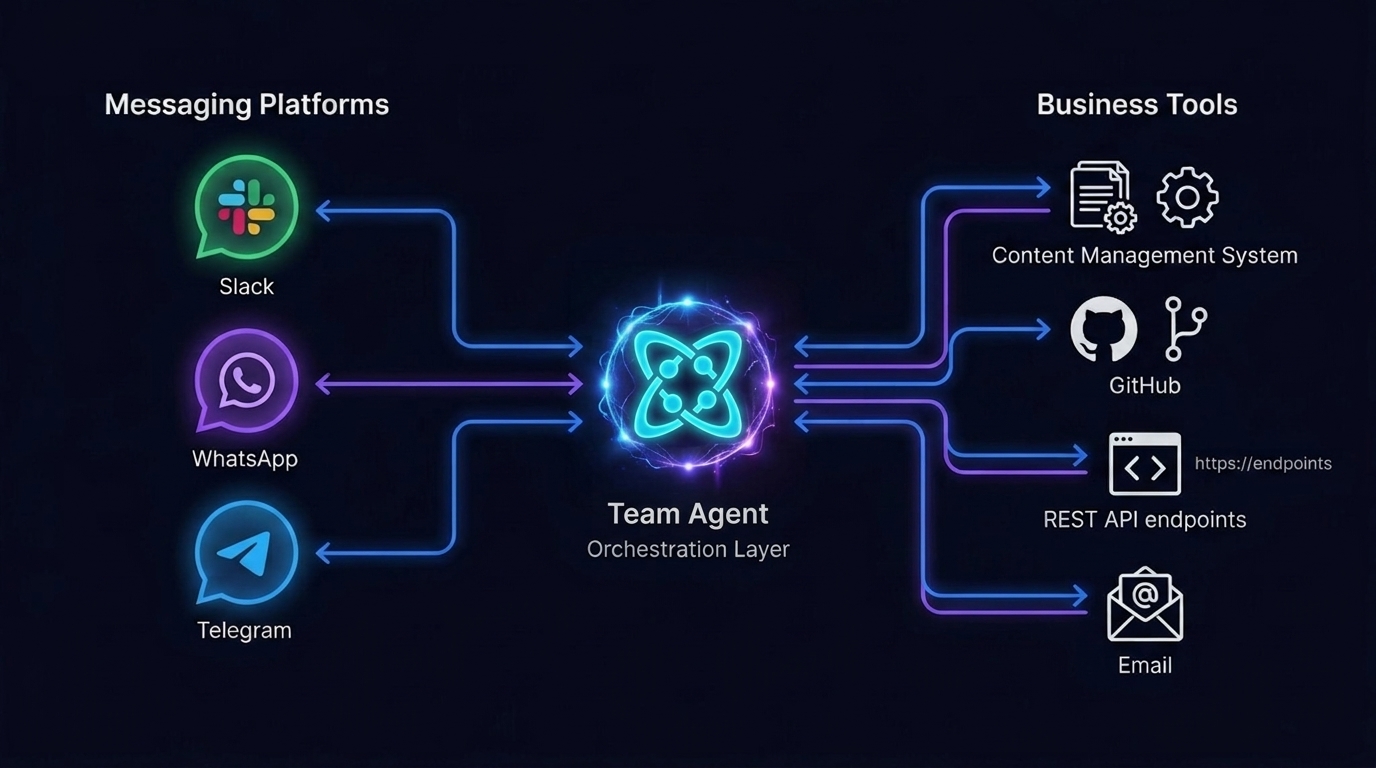
Here's the full picture:
- You sign up and create a project. Autopilot builds your content models, generates content, and scaffolds your app.
- The Cosmic Agent is waiting. It knows what was just built and can immediately help you create content, write code, generate media, and explore your project.
- You create a Team Agent. The Cosmic Agent walks you through it, or you do it yourself from AI Studio. Connect it to Slack, WhatsApp, or Telegram.
- Your Team Agent goes to work. Content creation, analytics reporting, code deployments. Results flow back to the CMS and the conversation.
- The data loop closes. Analytics workflows measure what's working. Content agents use the insights to plan what to create next. Code agents build and ship the pages. The CMS is the hub.
From signup to a full AI-powered content and development operation, in minutes.
Multi-Channel From Day One
Team Agents aren't limited to Slack. They work across:
- Slack - Full workspace integration with thread-aware replies, rich formatting, image sharing, and mention-only mode. One-click OAuth setup.
- WhatsApp - Use Cosmic's shared number for a quick start, or connect your own WhatsApp Business number. Great for customer-facing agents that handle support or sales inquiries.
- Telegram - Create a bot via BotFather in 30 seconds. Works in groups and DMs with photo support.
- Dashboard - The Cosmic Agent lives here by default. Any Team Agent can also use the Dashboard channel for internal use without connecting external services.
The same agent, the same persona, the same capabilities, available wherever your team (or your customers) already communicate.
Customer-Facing Agents
Here's where it gets interesting for revenue teams. Toggle "customer-facing" mode and your Team Agent becomes a front-line representative:
- Sales qualification - An agent on WhatsApp that answers product questions, qualifies leads, and books demos via Calendly
- Customer support - An agent on Telegram that troubleshoots issues, checks account status via API, and escalates to humans when needed
- Onboarding - An agent in Slack Connect channels that guides new customers through setup
Customer-facing mode hides internal configuration details and system info, so your agent presents a clean, branded experience.
How It Works
- Sign up and create a project. Autopilot handles the heavy lifting. The Cosmic Agent is ready in your dashboard.
- Explore with the Cosmic Agent. Create content, generate images, check your code, ask questions. Everything works from the chat widget.
- Create a Team Agent when you're ready. Choose the Team Agent type in AI Studio, or ask the Cosmic Agent to set one up for you.
- Write a prompt defining the persona, role, and instructions. "You are Mia, our Content Lead. Research topics, write SEO-optimized articles, and publish to the CMS."
- Set a goal. Something measurable: "Publish 20 blog posts per month" or "Increase organic traffic by 30%."
- Enable capabilities. CMS read/write, code access, API requests, web browsing, agent delegation, whatever the role needs.
- Connect a channel. Slack, WhatsApp, or Telegram. Your agent appears as a team member.
- Set a schedule (optional). Weekly analytics reports, daily content audits, or just on-demand.
Your new team member is live.
Pricing
Team Agents are included in every plan. See the pricing page for the full usage breakdown per plan. The Cosmic Agent is free on every plan and does not count against your agent limits.
Get Started
Team Agents and the Cosmic Agent are available now.
If you're already on Cosmic, head to the AI Studio section in your dashboard and create your first Team Agent. Give it a name, a role, connect it to Slack, WhatsApp, or Telegram, and watch it go to work. Or create a new project and say hello to your Cosmic Agent in the dashboard chat. It's already there, ready to help.
If you're new to Cosmic, sign up free and you'll have a working AI team member in minutes. Not a chatbot. Not a prompt playground. A team member that reads your data, makes decisions, and ships real work.
Building a great content engine for your business used to require an expensive team. Now it requires a Cosmic account.
Ready to add an AI team member? Start building free or book a demo.