

Cosmic
April 6, 2026
Batch Operations: Create, Update, and Delete at Scale
If you've ever needed to migrate content, seed a new environment, or let an AI agent manage dozens of objects at once, you know how painful it is to make one API call per object. Batch operations fix that.
You can now perform object batch operations: create, update, and delete operations in a single API call. Each operation succeeds or fails independently, so a bad record doesn't block the rest.
- New endpoint:
POST /v3/buckets/:bucket_slug/objects/batchaccepts mixedadd,edit, anddeleteoperations in one request - SDK:
cosmic.objects.batch()gives you a clean, typed interface - CLI:
cosmic objects batch --file operations.jsonfor scripted or terminal-driven workflows - AI Agents: Team Agents now automatically use batch when handling 3 or more objects at once
const result = await cosmic.objects.batch([
  { method: 'add', object: { title: 'Post 1', type: 'posts', metadata: { content: '...' } } },
  { method: 'edit', object_id: 'OBJECT_ID', object: { title: 'Updated Title' } },
  { method: 'delete', object_id: 'OBJECT_ID_2' },
])
Conditional Fields: Cleaner Forms for Content Editors
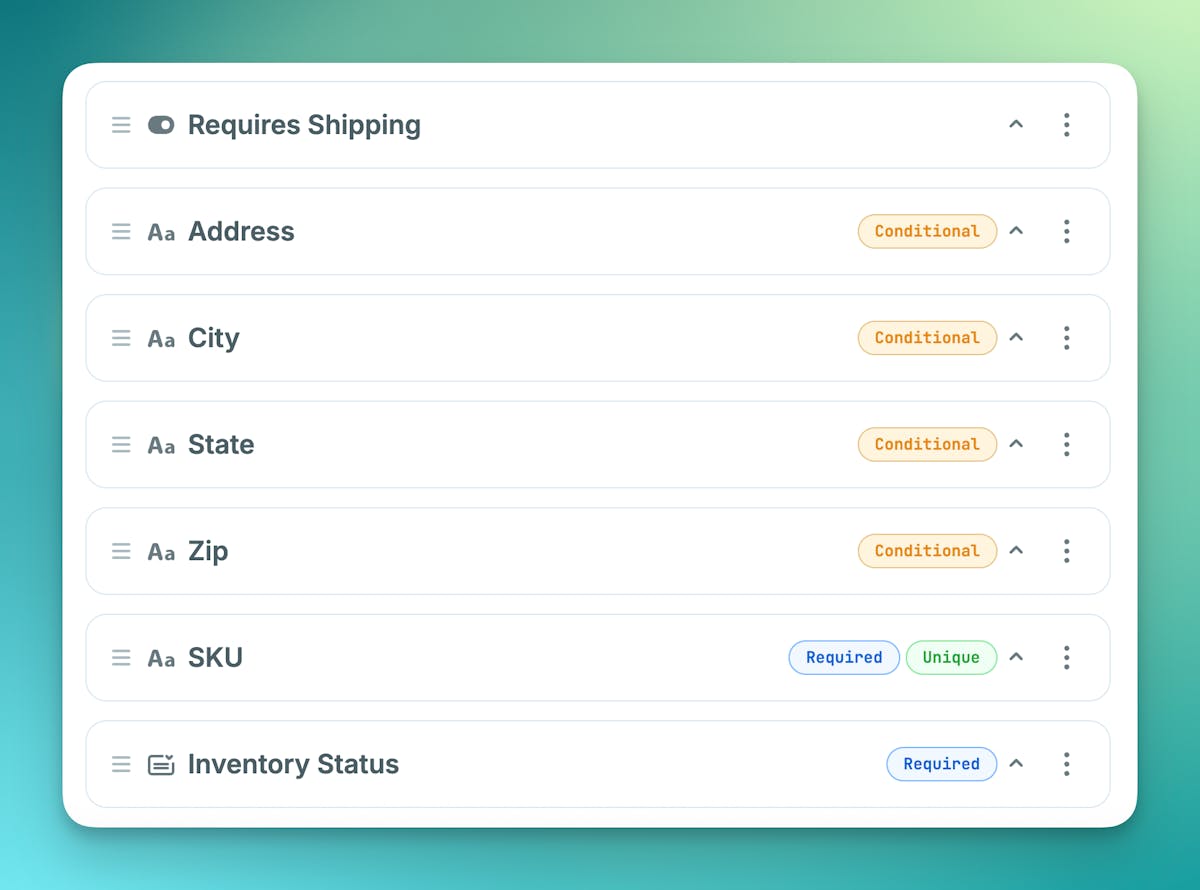
Content models can get messy fast. A product that doesn't require "Shipping" shouldn't show the additional shipping fields.
You can now set conditional fields on Object type metafields. Conditional fields let you show or hide metafields based on the value of another field, so editors only see what's relevant to them.
- Declarative rules: Use
eq,neq,exists, andnot_existsoperators directly on any metafield definition - Smart validation: Hidden fields are automatically skipped during validation, so required fields won't block a save when they're not visible
- Fully backward compatible: The API stores and returns all values regardless of visibility. Nothing breaks.
- AI Agent support: Agents can set
show_whenrules when creating or updating object types
{
  "key": "company_name",
  "title": "Company Name",
  "type": "text",
  "required": true,
  "show_when": {
    "key": "contact_type",
    "op": "eq",
    "value": "Business"
  }
}
Metafield Updates: Unique Constraint, Cleaner Select, and Multi Select
Unique Constraint: Data Integrity Built In
Have you ever had duplicate slugs, emails, or SKUs sneak into your content? The new unique metafield property enforces value uniqueness across all objects of the same type at the API level. No custom validation logic required.
- Duplicate values return a
409 Conflicterror with a clear message - Works on
text,textarea,number,date, andselectfields at the top level - Locale-aware: translations can share values with the original without triggering conflicts
- A new "Unique" toggle appears in the metafield validation UI for eligible types
{
  "key": "email",
  "title": "Email",
  "type": "text",
  "unique": true
}
Select Metafield: Now Returns Plain Strings
The select type used to return { key, value } objects in your metadata. That meant extra parsing every time you wanted to use the value in your app. It now returns a plain string.
"category": "Technology"instead of"category": { "key": "technology", "value": "Technology" }select-dropdownis deprecated. Useselectfor all new single-select fields.- Migration script available on request if you need to convert existing fields
Multi Select: Choose More Than One
Sometimes one option isn't enough. The new multi-select metafield type lets editors pick multiple values from a predefined list, returned as a string array.
"tags": ["Technology", "Business"]in your metadata response- Optional
minandmaxconstraints on selection count - Same options format as
select, easy to adopt
{
  "type": "multi-select",
  "key": "tags",
  "title": "Tags",
  "options": [
    { "value": "Technology" },
    { "value": "Business" },
    { "value": "Design" }
  ]
}
Read the docs for all of the above updates: Objects API, Metafields API, AI Team Agents, and CLI.