
Cosmic
February 2, 2026
Managing content just got a whole lot smarter. We're excited to announce the Cosmic MCP Server, a powerful new way to interact with your Cosmic CMS directly through AI assistants like Claude and Cursor.
What Is the Cosmic MCP Server?
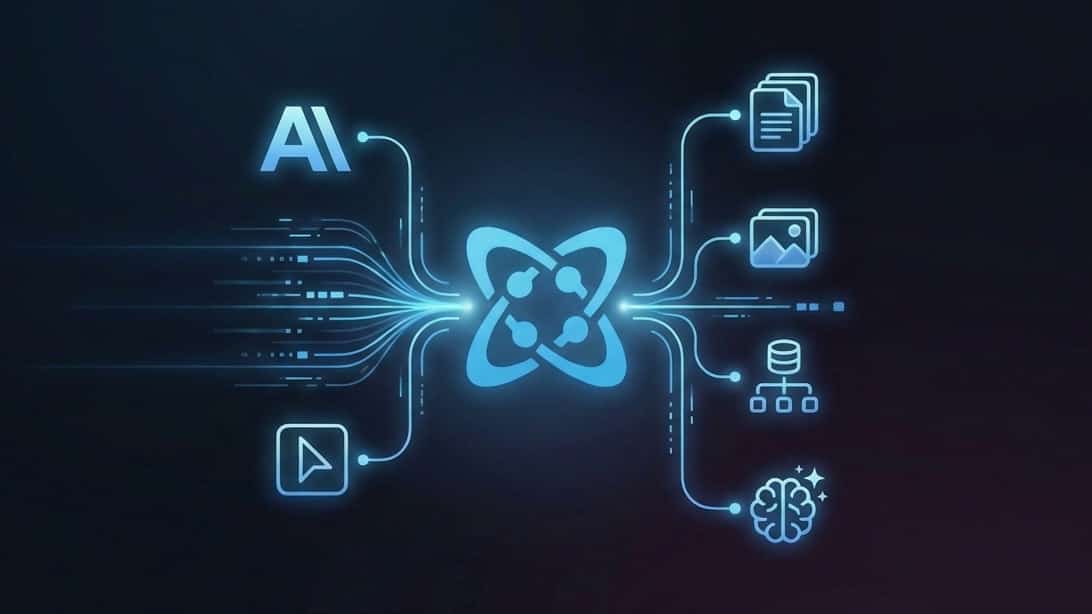
The Cosmic MCP Server implements the Model Context Protocol (MCP) to expose your entire Cosmic CMS as tools for AI assistants. This means you can manage objects, upload media, modify schemas, and even generate AI content using natural language commands.
Instead of switching between your code editor and the Cosmic dashboard, simply tell your AI assistant what you need. It handles the rest.
Get Started in Seconds
Installing the MCP server takes just one command:
npx @cosmicjs/mcp
Configure it with your Cosmic credentials, and your AI assistant gains direct access to your content bucket.
18 Powerful Tools at Your Fingertips
Once configured, your AI assistant can perform a wide range of content operations:
Objects Management
Your assistant can list, create, read, update, and delete content objects. Need to publish that draft blog post? Just ask.
Media Management
Upload images from URLs, browse your media library, and organize files into folders. All through natural conversation.
Schema Management
Create and modify object types, define fields, and structure your content model without leaving your editor.
AI Generation
Leverage Cosmic's built-in AI capabilities to generate text, images, and video content directly through your assistant.
Natural Language Content Management
Here's what working with the MCP server looks like:
Content Operations
- "List all blog posts in my Cosmic bucket"
- "Create a new product with the name 'Wireless Headphones' and price $99"
- "Update the homepage banner to say 'Summer Sale'"
Media Operations
- "Show me all images in the blog-images folder"
- "Upload this image URL to my media library"
Schema Operations
- "Create a new object type called Events with fields for title, date, and location"
- "Add a featured image field to the Products type"
AI Generation
- "Generate a product description for noise-canceling headphones"
- "Create an image of a mountain landscape and upload it to media"
MCP Server vs Agent Skills: Better Together
The MCP Server and Cosmic Skills complement each other perfectly. The MCP Server handles direct content management ("list my blog posts", "update the homepage banner"), while Agent Skills guides your AI in writing application code using the SDK. Use both together for the best developer experience.
Works With Your Favorite AI Tools
The Cosmic MCP Server supports any MCP-compatible client:
- Claude Desktop
- Cursor
- Windsurf
- And other MCP-compatible AI assistants
For a zero-install option, see Hosted MCP: Cosmic in Cursor, Claude, and Codex with Zero Install.
Configuration
Add the MCP server to your AI tool's configuration:
Claude Desktop (macOS: ~/Library/Application Support/Claude/claude_desktop_config.json)
{
  "mcpServers": {
    "cosmic": {
      "command": "npx",
      "args": ["@cosmicjs/mcp"],
      "env": {
        "COSMIC_BUCKET_SLUG": "your-bucket-slug",
        "COSMIC_READ_KEY": "your-read-key",
        "COSMIC_WRITE_KEY": "your-write-key"
      }
    }
  }
}
Cursor (.cursor/mcp.json in your project)
{
  "mcpServers": {
    "cosmic": {
      "command": "npx",
      "args": ["@cosmicjs/mcp"],
      "env": {
        "COSMIC_BUCKET_SLUG": "your-bucket-slug",
        "COSMIC_READ_KEY": "your-read-key",
        "COSMIC_WRITE_KEY": "your-write-key"
      }
    }
  }
}
Start Managing Content Smarter
Ready to streamline your content workflow? Install the Cosmic MCP Server today and let your AI assistant handle content management while you focus on building.
For a deeper dive into everything the MCP server can do, read MCP Server: The Complete Guide for Developers (2026).
For complete documentation and examples, visit the MCP Server documentation.
Have questions or feedback? Join our Discord community to connect with other developers and the Cosmic team.
Continue Learning
Documentation
Related Posts
- MCP Server: The Complete Guide for Developers (2026)
- Hosted MCP: Cosmic in Cursor, Claude, and Codex with Zero Install
- Cosmic MCP Server vs Strapi MCP: Why Cloud-Native Wins
Resources