Payload vs Strapi: Which Open-Source Headless CMS Should You Choose in 2026?

Tony Spiro
August 14, 2026
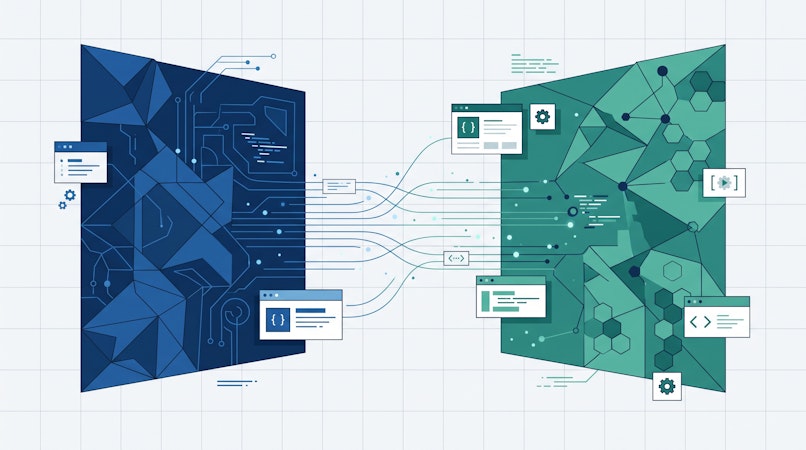
Payload and Strapi are the two open-source headless CMS projects most Node developers actually shortlist against each other. Both are MIT licensed. Both are TypeScript-first. Both let you self-host on your own infrastructure with no vendor sitting between your app and your database.
They diverge on almost everything else: how they install, which databases they run on, how you query content, and how much of their commercial pricing they are willing to put on a public page.
Last verified: August 13, 2026. Every figure and feature claim below was checked against live vendor sources on this date: Strapi CMS pricing, Strapi database docs, Payload homepage, Payload enterprise page, Payload database docs, Payload on GitHub, and Cosmic pricing. Note:
payloadcms.com/pricingreturned a 404 at the time of this check, so no Payload list pricing is quoted anywhere in this post.
TL;DR
| Payload | Strapi | |
|---|---|---|
| License | MIT | MIT (Community edition) |
| Architecture | Next.js native, installs into your existing /app folder | Standalone Node.js application with its own admin panel |
| Databases | MongoDB, PostgreSQL, SQLite | PostgreSQL, MySQL, MariaDB, SQLite |
| MongoDB support | Yes, via the Mongoose adapter | No. Strapi's docs state it does not support MongoDB or any NoSQL database |
| Content modeling | Code-first TypeScript config | Admin UI Content-Type Builder, written to code |
| APIs | REST, GraphQL, and a Local API you can call directly in Server Components | REST and GraphQL |
| Published paid pricing | None public at time of check | Growth $45/month, 3 seats included |
| Hosting | You host it, or one-click deploy to Vercel or Cloudflare | You host it, or Strapi Cloud |
| Ownership | Part of Figma | Strapi, independent |
| GitHub stars | 44.1k | 72.9k |
The architectural fork
This is the decision that drives everything else.
Payload installs into your Next.js app. It is described by its own team as the first Next.js native CMS, and it drops directly into your existing /app folder. Your frontend and your backend live in one codebase, one deployment, one repo. The admin panel is React and renders as part of the same application. The repo currently sits at 44.1k stars with roughly 15,790 commits.
The practical payoff is the Local API. Because Payload runs inside your app, you can query your content directly in React Server Components with no network hop at all:
import { getPayload } from 'payload'
import config from '@payload-config'

const payload = await getPayload({ config })

const posts = await payload.find({
  collection: 'posts',
  where: { status: { equals: 'published' } },
  limit: 10,
})
No REST call, no GraphQL query, no serialization round trip. For read-heavy Next.js sites that is genuinely fast and pleasant to work with.
Strapi runs as its own application. It is a standalone Node.js server with its own admin panel, its own deployment, and its own lifecycle. Your frontend talks to it over HTTP like any other API:
const res = await fetch(
  'https://your-strapi.example.com/api/posts?filters[status][$eq]=published',
  { headers: { Authorization: `Bearer ${process.env.STRAPI_TOKEN}` } }
)
const { data } = await res.json()
That separation is a feature when you have more than one consumer. A Strapi instance can serve a Next.js marketing site, an iOS app, and a partner integration without any of them knowing about each other. Payload's Next.js coupling is a real constraint here: if your primary consumer is not a Next.js app, a large part of the value proposition does not apply to you.
Database support, and the MongoDB question
This is the sharpest technical difference, and it eliminates one of these tools outright for some teams.
Payload ships three official adapters: MongoDB via Mongoose, PostgreSQL via Drizzle, and SQLite via Drizzle. Its docs note that all field types work across adapters with one exception, the Point Field, which is not supported on SQLite.
Strapi supports PostgreSQL (14.0 minimum, 17.0 recommended), MySQL (8.0 minimum, 8.4 recommended), MariaDB (10.3 minimum, 11.4 recommended), and SQLite 3. Strapi's own database configuration documentation states plainly that Strapi does not support MongoDB, any other NoSQL database, or cloud-native databases such as Amazon Aurora and Google Cloud SQL.
If your organization runs on MongoDB, that single line settles the evaluation. Strapi is out.
Strapi's docs carry a second warning worth reading before you commit: Strapi applications are not designed to connect to a pre-existing database that was not created by a Strapi application. If you were hoping to point a CMS at a database you already own, plan accordingly.
Content modeling
Strapi gives you a Content-Type Builder in the admin UI. You click through creating collection types and fields, and Strapi writes the schema files into your project. Non-developers can shape content models without opening an editor, and the result is still version controlled.
Payload is code-first. You define collections in TypeScript:
import type { CollectionConfig } from 'payload'

export const Posts: CollectionConfig = {
  slug: 'posts',
  admin: { useAsTitle: 'title' },
  fields: [
    { name: 'title', type: 'text', required: true },
    { name: 'status', type: 'select', options: ['draft', 'published'] },
    { name: 'content', type: 'richText' },
  ],
}
Types are generated automatically from that config, so your data is typed end to end. Every schema change is a code change, which means it goes through review and ships with your deploy. Teams that want content modeling to be a governed engineering activity prefer this. Teams that want a content architect to iterate without a pull request prefer Strapi's builder.
Pricing transparency
Here the two projects behave very differently, and it matters for procurement.
Strapi publishes its numbers. As of the verification date:
- Community: free forever, MIT licensed, unlimited entries and API calls, REST and GraphQL, role-based access control, community support.
- Growth: $45/month including 3 seats, then $15/month per additional seat. Adds Strapi AI (1,000 credits per month, additional credits at $1.50 per 100), Live Preview, Releases, and Content History with 30 days of retention.
- SSO is an add-on on Growth at $150/month plus $50/month per seat.
- Enterprise: custom pricing. Adds Review Workflows, Audit Logs, a SOC 2 report, and Content History extended to 365 days.
Strapi also offers Strapi Cloud as a separately priced hosted option. Check their pricing page for current Cloud tiers.
Payload publishes nothing. At the time of this check, payloadcms.com/pricing returned a 404 and there was no pricing link in the site navigation. The enterprise page lists capabilities including SSO, Publishing Workflows, A/B Variant Testing, AI Auto-Embedding, and enterprise AI features, with Visual Editor and Multi-Player Editing marked as coming soon. The only route to a number is scheduling a demo.
The open-source core is genuinely free and MIT licensed in both cases. The difference is what happens when you need SSO or audit logs. With Strapi you can price that today from a public page. With Payload you book a call.
The Figma question
Payload's homepage currently carries a banner announcing that Payload is now part of Figma, linking to Figma's announcement.
Being acquired by a company of Figma's scale brings real resources to an open-source project. It also introduces a strategic question that any team standardizing on Payload should ask deliberately: the roadmap now serves Figma's product direction alongside the standalone CMS use case.
The MIT license and the public repository are meaningful protection here. You can fork, and your data lives in your own database. This is not a reason to avoid Payload. It is a reason to have the conversation before you build your content platform on it, the same way you would for any dependency whose ownership just changed.
When to choose each
Choose Payload if:
- Your project is a Next.js application and will stay that way
- You want your CMS and frontend in one repo and one deploy
- You are on MongoDB
- You want code-first, fully typed content modeling under code review
- Querying content in Server Components with no network hop is worth real money to you
Choose Strapi if:
- You need one content backend serving several frontends, apps, or partners
- Your frontend is not Next.js
- You want non-developers building content types in a UI
- You are on MySQL or MariaDB
- You want to see the price of SSO and workflows before you talk to sales
Where a managed CMS fits instead
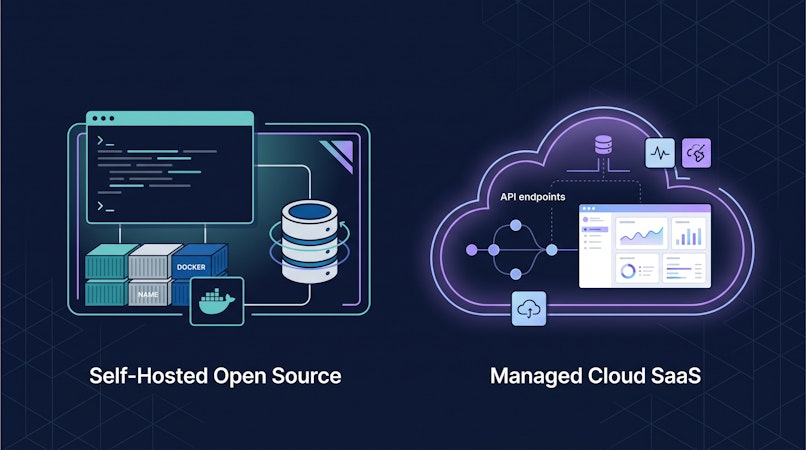
Both of these options make you responsible for infrastructure. You provision the database, run migrations, patch the server, manage backups, monitor uptime, and scale under load. That work is real and it is recurring, and it is the reason many teams that start self-hosted eventually move.
Cosmic is a managed, AI-powered headless CMS that removes that operational surface entirely. There is no database to run and no server to patch. You get a REST API and a TypeScript SDK:
import { createBucketClient } from '@cosmicjs/sdk';

const cosmic = createBucketClient({
  bucketSlug: 'your-bucket-slug',
  readKey: 'your-read-key',
});

const { objects: posts } = await cosmic.objects
  .find({ type: 'posts' })
  .props(['title', 'slug', 'metadata'])
  .depth(1);
Cosmic's published pricing as of the verification date: Free at $0/month (1 Bucket, 2 team members, 1,000 Objects), Builder at $99/month (2 Buckets, 3 team members, 5,000 Objects), Team at $299/month (3 Buckets, 5 team members, 20,000 Objects), Business at $499/month (5 Buckets, 10 team members, 50,000 Objects), and custom Enterprise pricing. Additional users are $29/user/month.
The honest tradeoff: you give up the ability to run the CMS on your own hardware. What you get back is the engineering time you were spending on database upgrades and CMS deploys.
FINN, the car subscription company, put the benefit this way:
"Cosmic is: us never having to ask a developer to change anything on the backend of our website."
Maximilian Wuhr, Co-Founder at FINN
Start free with Cosmic or talk to our CEO directly.
Frequently asked questions
Is Payload free?
The open-source core is free and MIT licensed. Payload does not publish pricing for its enterprise tier; the enterprise page routes to a demo request.
Is Strapi free?
The Community edition is free forever and MIT licensed, with unlimited entries and API calls. Paid features start with Growth at $45/month including 3 seats.
Can Strapi use MongoDB?
No. Strapi's database documentation states it does not support MongoDB or any NoSQL database. Payload supports MongoDB through its Mongoose adapter.
Can I use Payload without Next.js?
Payload is built to run inside a Next.js /app folder, and that integration is the core of its design. If your stack is not Next.js, Strapi or a managed API-first CMS will fit more naturally.
Does Cosmic support GraphQL?
No. Cosmic provides a REST API and a JavaScript/TypeScript SDK. Both Payload and Strapi do offer GraphQL if that is a hard requirement for your team.
Which one is better for a team of content editors?
Strapi's admin panel and UI-based Content-Type Builder are more approachable for non-developers out of the box. Payload's admin is capable and extensible, but content modeling stays in code.
The bottom line
Payload is the stronger choice when you are building a Next.js application and want the CMS to disappear into it. Strapi is the stronger choice when the CMS needs to stand on its own and serve many consumers, and when you want to price the commercial tier without a sales call.
Both hand you the operational burden of running the thing. If that burden is the part you want to skip, a managed CMS is worth pricing out before you commit to a self-hosted platform for the next three years.
Create a free Cosmic account and model your first content type in a few minutes. No credit card required.